Maptitude allows you to perform detailed street level mapping and analysis in many countries (U.S., Australia, Brazil, Canada, Italy, Mexico, New Zealand, United Kingdom, and more). Furthermore, the Download Free Layers add-in provides easy access to no-cost web-based data sources. This tool allows you to access international highways and street-level data for countries around the world.
Maptitude includes nationwide streets for the country of your choice. The streets include address and Postal/ZIP Code data for locating (pin-mapping) your data. All classes of road are included such as highways/motorways, major roads, minor roads, trails, and ferry routes.
Answer a few simple questions and Create-a-Map Wizard™ makes a map at any scale; from all the countries of the world to streets around an address, landmark, or intersection.
Please contact Caliper Sales for information on obtaining street-level map data for other countries.
| Street Map Making Software Highlights |
|---|
|

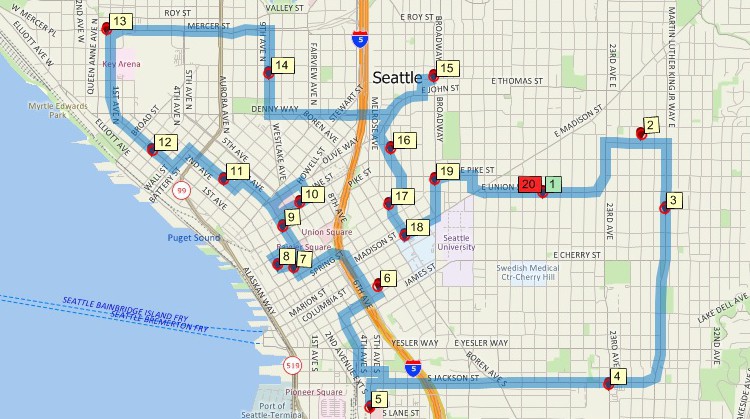
Maptitude can find shortest routes with directions or create delivery routes to any number of stops based on delivery sequence or fastest time.
Use the included data to create street-level maps which can be used for routing, geocoding, or drive-time analysis.
In addition, street-based tools allow you to create drive-time (or distance) rings. You can use the rings to determine areas that are underserved or to determine how many of your customers are within a 15-minute drive of a store or more than 30 minutes from a store.
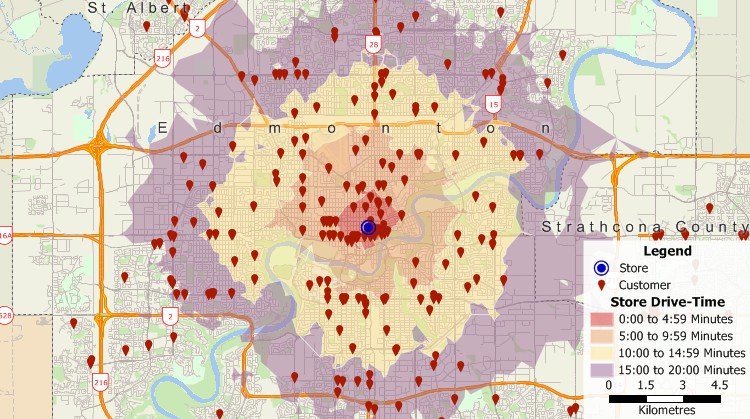
Create rings based on distance or drive time with Maptitude street maps software.
You can also partition streets into zones based on the drive time to the nearest facility. For example, create zones that show the areas that are best served by each fire station or hospital, or that show which school is closest to each street within a city.
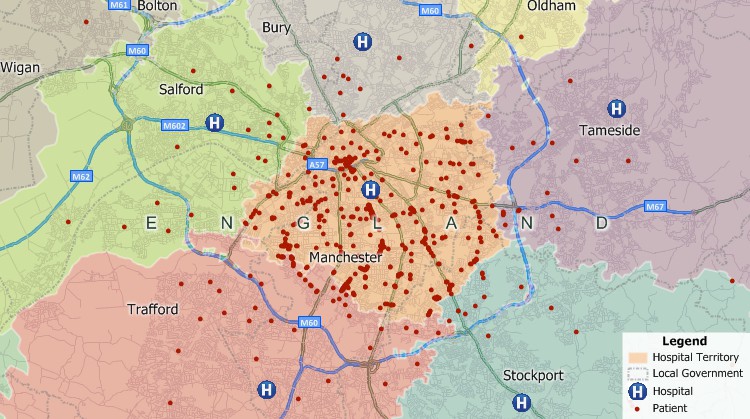
Partition streets and create zones based on the proximity of the streets to features such as schools, hospitals, or fire stations. The areas above indicate which hospital has the shortest drive time to the streets within that area.
Example: One of the big issues you face, especially if you are a delivery service, is ensuring efficient fleet management to stay competitive. Even small reductions in transportation time or cost can add up to big savings for your company. Your delivery drivers may make multiple deliveries per shift, where each destination has varying stop times, may require rest stops, and based on vehicle type has varying speed constraints and fuel costs. Maptitude can handle these scenarios for you and uses sophisticated algorithms that ensure that your vehicles take the most time-efficient and energy-efficient routes while making multiple deliveries.
Maptitude also has GPS support, allowing you to track your location at the street level, perform field data collection using Delorme GPX files for example, or create and edit geographic files by adding attributes such as street names.
You can further enhance your maps by using the included tools for accessing free imagery from the Internet. With a single mouse click you can download aerial imagery and topographic maps from Google Earth or any image server (WMS).
Maptitude is geocoding software that has powerful capabilities for mapping your data:
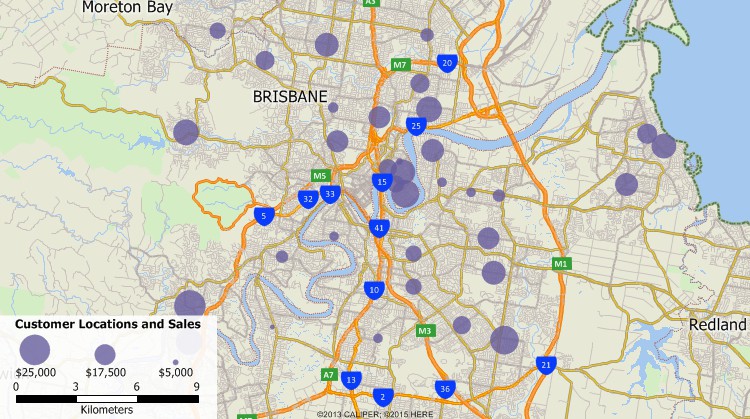
Geocode addresses – Maptitude is powerful geocoding software for locating and visualizing your data on a map
For more information on geocoding see the Address Matching Software page.
Maptitude is also an alternative to Microsoft Streets & Trips, Microsoft AutoRoute and the discontinued Microsoft MapPoint.
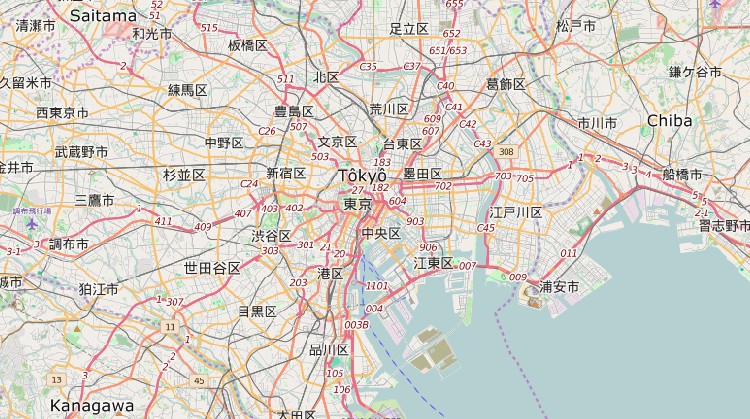
Display or download street map data using OpenStreetMap data
 For
a video tutorial, see:
For
a video tutorial, see:
Mapping
your data with Maptitude Create-a-Map Wizard

 Check out our G2 Reviews
Home | Products | Contact | Secure Store
 Call Us