Last updated on July 23, 2026
Analytics
You can track the map views and most active maps in your account. You have the option of choosing from various time periods and you can display information for all maps in an account or just the ones that you have created.
To Display Account Analytics
- Click the Analytics tab.
- Choose whether you want to track 7 days, 30 days, or 90 days of map usage.
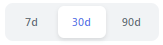
Maptitude Online displays the total views, the number of maps that were active, and the most viewed map for the time period that you chose. Note, views are the number of times a map was opened or refreshed and not a count of unique visitors.

The Views Trend displays a trend line of daily views for the chosen time period.
The Top Maps lists the top ten most viewed maps for the chosen time period. A map name followed by a icon indicates the map that is published.
- Choose which top maps to list as follows:
You can click on a map in the list to open it in a separate tab.To do this... Do this... See the top maps for all users Set the Show My Maps toggle to off. See your top maps Set the Show My Maps toggle to on.