Account Settings
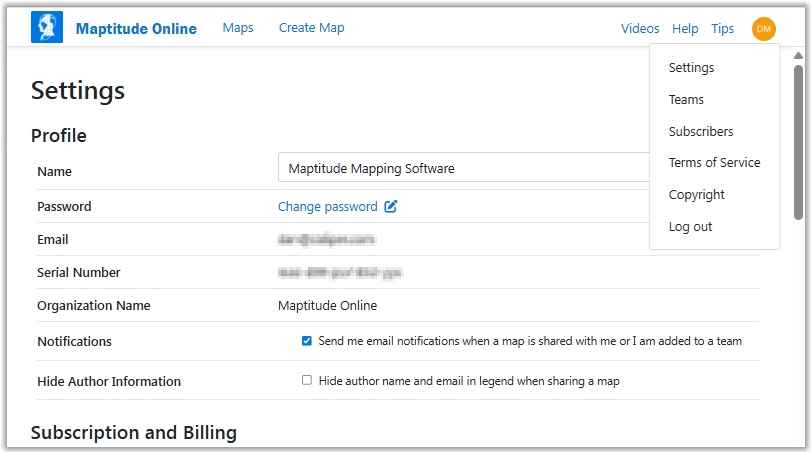
Administrative users can choose Settings from the Options and Settings Menu (located at the top right-hand corner of the screen in a drop-down under your user name icon) to see and change account details, see subscription and usage limits details, and transfer maps.
Make changes as follows:
| To to this... | Do this... |
| Change your profile name | Edit the Name text box |
| Change your password | Click Change Password and follow the instructions in the email for changing your password. |
| Turn on notifications | Check the Notifications box |
| Turn off notifications | Remove the check from the Notifications box |
| Hide author information in shared maps | Check the Hide Author Information box |
| Show author information in shared maps | Remove the check from the Hide Author Information box |
| Transfer all maps to another user | Choose the current owner of the maps from the Transfer from User box, choose the recipient from the To User box, and click Transfer Maps. |
For information on the Publicly Shared Maps section, see Sharing a Map.
In addition, the Options and Settings menu contains the following items:
| Menu | What it does... |
| Terms of Service | Displays Maptitude Online terms of service |
| Copyright | Displays Maptitude Online copyright information |
| Log out | Ends your Maptitude Online session |
©Copyright Caliper Corporation www.caliper.com