When you choose the lines you want to add to the precinct layer, polygons that touch that line are automatically selected (note all of the shape points in the image below).
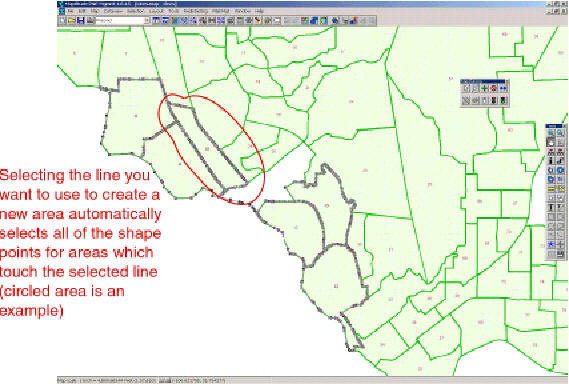
However, Maptitude needs to know all of the polygons that are adjacent to the area you will be creating (the one in white that is currently a hole, but will become an area). You should select all adjacent polygons that are not already selected by using the pointer tool in the Map Editing toolbox. The boundaries will become defined by shape points.
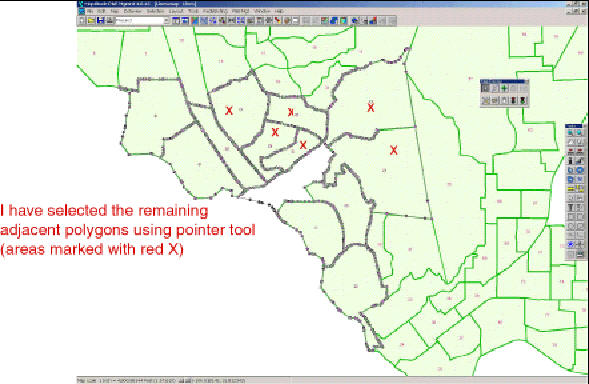
If you now click the green commit light, the lines will be added to the precinct layer, thus creating a new area.
 Call Us
