This latest release of Maptitude, the award winning GIS desktop
software, continues to provide easy-to-use yet powerful mapping tools.
Maptitude 4.7 remains the most competitively priced, full featured
GIS/mapping software available. Maptitude 4.7 provides extensive new
functionality and enhancements:
Mapping
- Set custom autoscale settings for labels
- Autoscale individual selection sets to hide and show selected features at different scales
Analysis
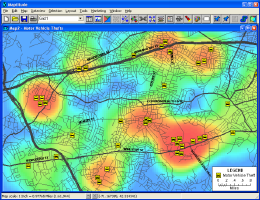
- Create density grids so that you can analyze point data on a regular grid such as customer concentrations, crime hot spots, or disease outbreaks (below left)
- Identify trade areas with the facility locator
- Quickly create temporary features and generate bands about them for more rapid analysis of locations
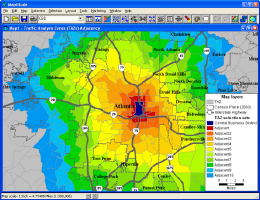
- Compute adjacency of areas to explore market expansion, plan evacuations, or track disease outbreaks (below right)
Reports
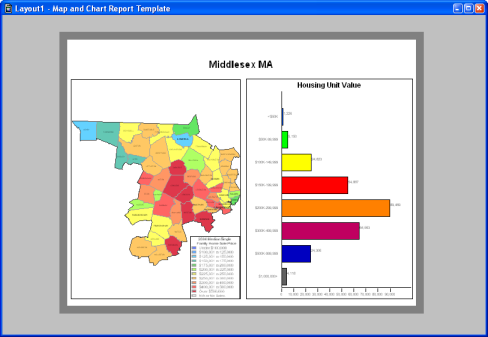
A new interface for report production allows on-the-fly creation of single page print-outs of districts or market areas using several customizable templates.
Editing
- Add or split area features using features in a line layer
- Batch edit multiple layers with the Multi Clipper to create sets of geographic files for an area of interest
Tables
- Zoom to a map location from a dataview
- Tag cells in a table with data from features up to 4,000 miles away (previously 500 mile threshold)
- Create temporary summary statistics tables
- Transpose rows and columns
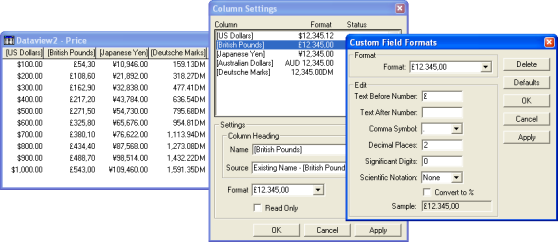
- Create custom field formats that include text, use foreign currency symbols, or swap comma and period placement
File Formats
- Import TIGER/Line 2002 and 2003 files
- Open JPEG/World (.JPW) files as image layers in a map
- Open ArcView 3.x Project (.APR) files with their theme (layer) settings
- Open ArcView 3.x Legend (.AVL) files with their display settings
Layouts
- Resize layout contents automatically when the layout size changes
- Place items in a layout at either the map or frame aspect ratio
- Redraw maps in layout for a more precise view
With each new license or upgrade of Maptitude you get 60 days of free
phone and email technical support.
Click
here to see
features that were new to Version 4.6.
 Call Us

