10 October 2025
Maptitude sales and market analysis mapping software is the most capable and cost-effective map maker to:
| Sales Mapping Software Highlights |
|---|
|

Sales mapping software such as Maptitude provide ways for you to use maps to analyze and understand how geography affects you and your business. Maptitude is a powerful combination of mapping software and geographic data that provides everything that you need to make informed decisions and get the maximum return on your sales and marketing budget.
Maptitude includes substantial demographic and income data from the Census. Maptitude also includes easy-to-use analysis tools that will allow you to unearth the trends and information hidden in your data.

|
“Maptitude is incredibly user-friendly. It can be very intimidating to use a new geospatial tool without formal training. With Maptitude, I started with no training and quickly became the in-house expert at my company. We are locating new stores, optimizing existing footprints and quantifying local market opportunities.”
|
|

|
“Maptitude allows me to know my market by demographics. It is a key tool is determining emerging markets for products as well as identifying like markets to capitalize on success of a product. It also allows me to then graphically present the locations of the winning markets. I have used this software in an older version and came back to them for an upgrade to take my analytics business to the next level.”
|
Choosing the right tool for market analysis can be daunting. But with Maptitude, the choice becomes clear. This software is a game-changer for organizations seeking to leverage geographic data. It’s a comprehensive solution that transforms the way businesses approach sales mapping. Here’s what some of our satisfied users have to say:

|
“I was in a bind when MS retired MapPoint. I discovered Maptitude in 2009 and have been using the software since then. Once you take time to use the various features, it becomes a joy to use when evaluating different market conditions/situations. I do enjoy using this software.”
|
|

|
“I've been using Maptitude for more than 15 years. It is simply the best tool available for businesses that need a market planning mapping and data resource. It can do everything I need it to do - from the very simple to the complex. It integrates nicely with other programs and file types making analysis and presentation very easy. I highly recommend Maptitude to firms who need a function-rich GIS mapping solution. It is the best!”
|
|

|
“Pros: Cost. Much easier to reach a purchasing decision. I loved the integrated country data package so I didn't have to download census layers and other info - it was all built in.”
|
Maptitude is designed to make mapping sales data easy. With Maptitude you can:
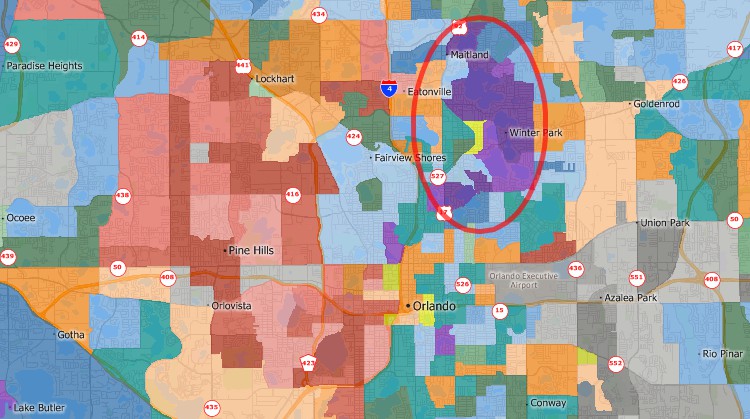
Use the included Census demographic data to find the characteristics of the people who use your products.

Analyze demographics and evaluate sites.
Find locations with desirable demographics before renting marketing lists, buying advertising, or planning new facilities.
Pin map the locations of your customers so that you can better serve them and better reach them with your sales message.
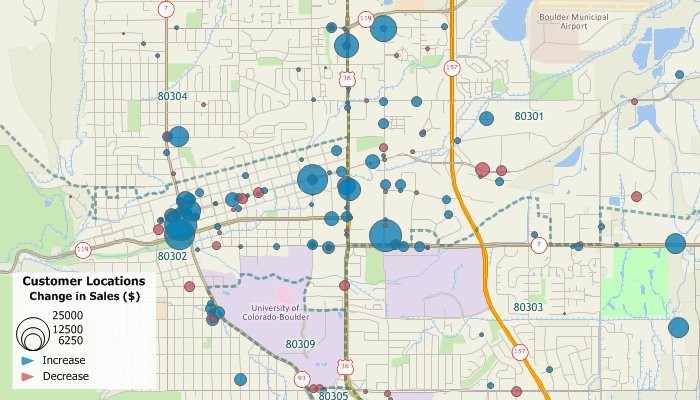
Each country data package includes streets for the entire country with address and postal code ranges that you can use to locate your facilities and customers.
Create sales territories out of Postal/ZIP Codes, counties, states, or any other type of area, share territory maps, calculate the demographic characteristics of your custom territories, and attach your own data to them. For more information, see the Sales Territory Mapping page.

Maptitude customer mapping software makes mapping sales and building sales territories easy.
Maptitude lets you create maps using your own data. Maptitude has direct access for a number of database, geographic, and raster file formats. In addition, you can access your data via ODBC from a number of data sources such as Access, Oracle, or SQL Server. You can also join and aggregate your data to any of the nationwide geographic files included with Maptitude such as states, counties, or Postal/ZIP Codes, or to your own custom territories.
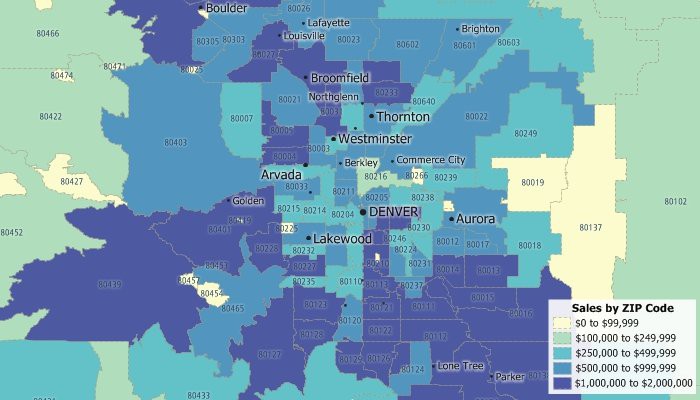
Maptitude excels at revealing areas where demand outpaces supply. With powerful visualization tools, you can pinpoint underserved regions, identify geographic gaps in your coverage, and target areas ripe for growth. Whether you’re expanding, optimizing sales territories, or launching new products, Maptitude helps you find hidden potential that spreadsheets simply can’t show.
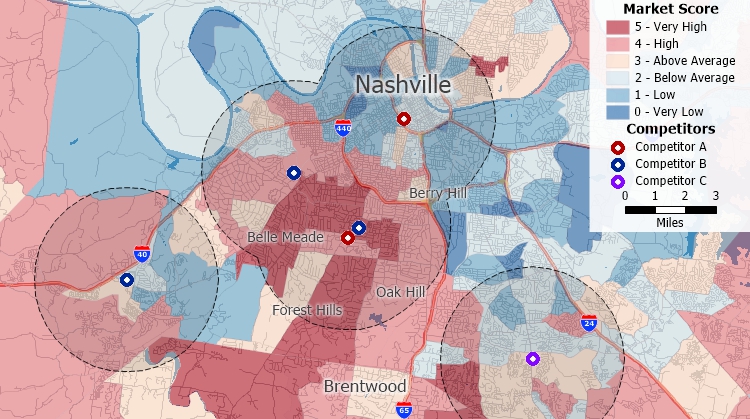
Identify areas with little market competitor presence.
Maptitude allows you to go beyond basic demographics to understand who your customers are, where they are located, and what drives their decisions. You can map customer addresses, analyze purchasing patterns, and overlay demographic data to refine your targeting strategies. This helps you focus your marketing efforts on high-potential segments and regions.
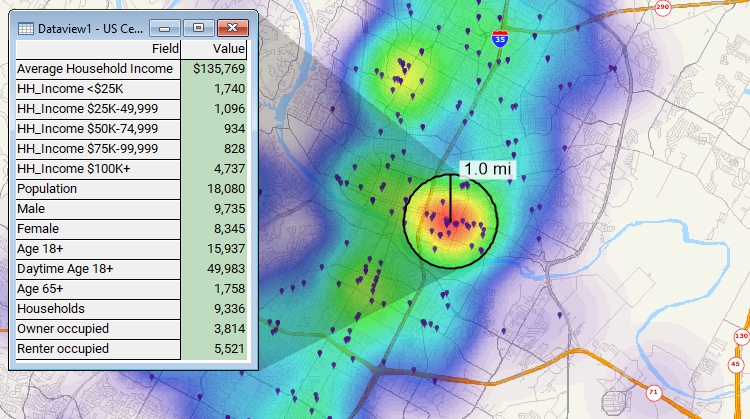
Visualize concentrations of customers and estimate demographics.
Pinpoint locations that are within your sales area and that have desirable demographic characteristics and plan your marketing campaign message around them.

Find the Postal/ZIP Codes that have high income, large concentrations of people 18-34 years old, or any other demographics that you want to target with your marketing campaigns.


Request a demo of Maptitude to see how you and your team can use sales mapping software to better understand your data!

 Check out our G2 Reviews


Home | Products | Contact | Secure Store
 Call Us

