Maptitude is an essential tool for all types of crime and law enforcement mapping applications. Maptitude gives you a low-cost way to visualize crime data, make informed decisions, and evaluate law enforcement programs.
| Crime Mapping Software Highlights |
|---|
|
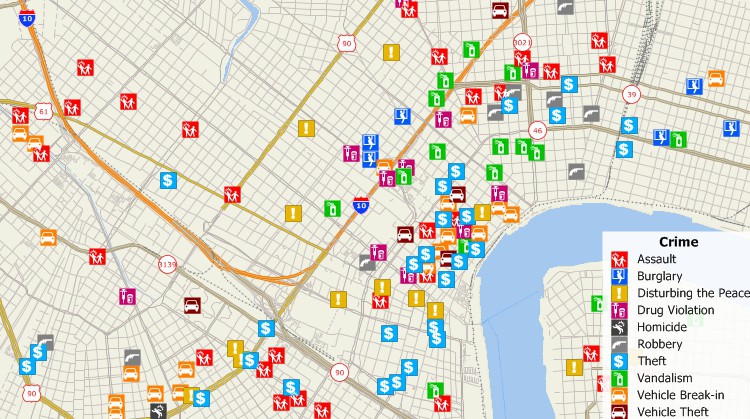
Map any type of crime data.

|
“As a crime analyst, Maptitude has been my go-to program. Their support people are always willing to help with any question I have. Highly Recommend them.” Richard Pickard |
Because most crime data have specific locations, all types of data can be added to a map, including the locations of accidents, citation issuances, arrests, registered sex offenders, suspects, and crime locations. Maptitude analysis tools then let you determine spatial patterns and hotspots for various types of crimes.
By mapping crime and identifying spatial patterns, law enforcement resources can be more effectively deployed for crime analysis and crime prevention. For example, crime analysts can prioritize locations for law enforcement activities such as drug or prostitution stings based on where those crimes are most prevalent. Sobriety checkpoints can be identified by examining the locations of arrests and accidents involving impaired drivers. By cross-referencing data from multiple sources, such as crime incidents and suspects, it is even possible to prioritize an investigation for a connected series of crimes such as rape or arson.
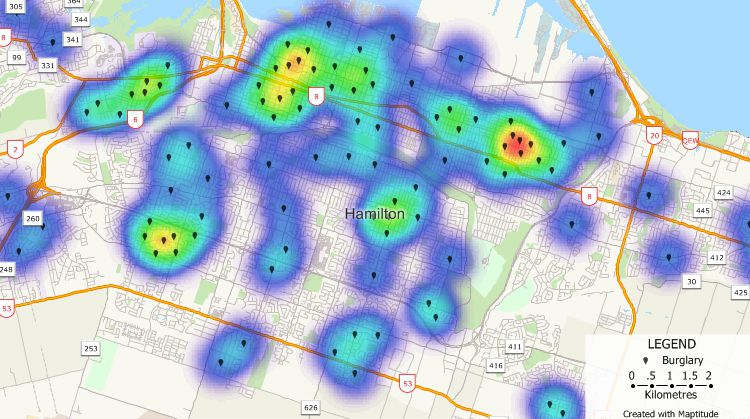
Find hot spots for various types of crime.

 How Public Safety Strategies Group Used Maptitude to Create New Police Districts
Maptitude makes it possible to track the effectiveness of law enforcement programs. For example, you can compare accident data to determine the effectiveness of sobriety checkpoints or compare service calls before and after setting up a neighborhood patrol program.
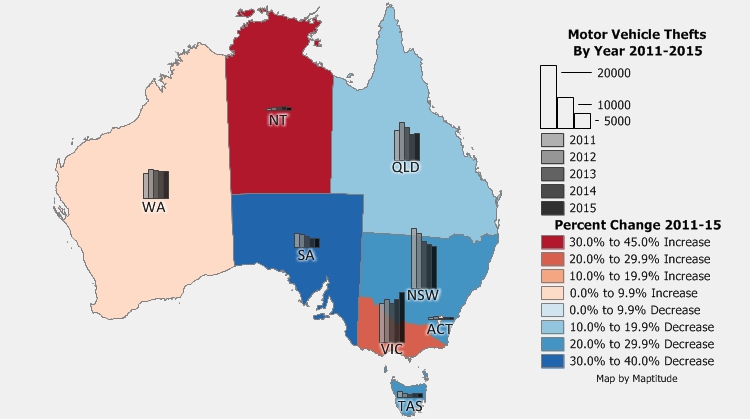
Compare crime for different time periods to identify trends or evaluate law enforcement strategies.
In the event of disasters, you can use Maptitude to identify evacuation routes, the best locations for emergency shelters, and alternate routes. For example, you can use flood plain data to identify shelters that are both accessible and unlikely to flood. You can also use Maptitude to identify the population affected by a chemical spill or explosion, then develop an evacuation procedure and determine road closures.
Maptitude has routing tools that let you find routes among two or more locations. Not only can this aid dispatch in decreasing response times, but it can also lead to greater effectiveness for non-emergency applications such as serving subpoenas.
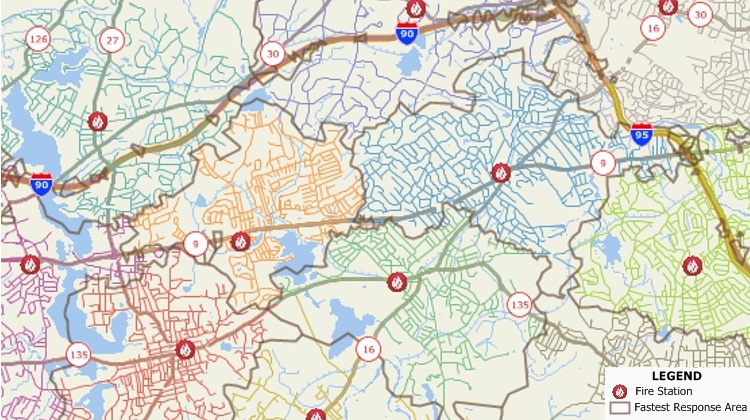
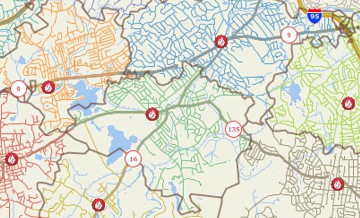
City streets divided based on their proximity to fire stations.
With Maptitude Online, law enforcement agencies can share information with their communities. Through interactive maps, residents can identify their closest emergency shelter, view evacuation routes in the event of a natural disaster, or access crime maps. Citizens can also develop community policing programs and other initiatives based on shared police and demographic information.
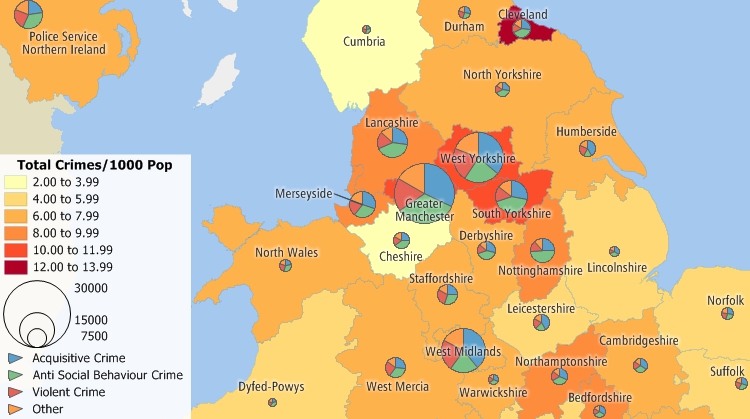
Illustrate and compare all sorts of police data.

 Check out our G2 Reviews
Related Links:

Home | Products | Contact | Secure Store
 Call Us

