Maptitude is a comprehensive mapping software that empowers you to measure distances, areas, and even heights on interactive maps with precision. For business development professionals and decision-makers, it provides an all-in-one mapping solution for analysis and informed decision-making. Whether you're performing a quick distance check or a complex spatial analysis, the Maptitude measurement tools offer the accuracy and flexibility needed for both basic and advanced projects.
Maptitude offers powerful measurement tools that support accurate mapping workflows across a variety of projects.
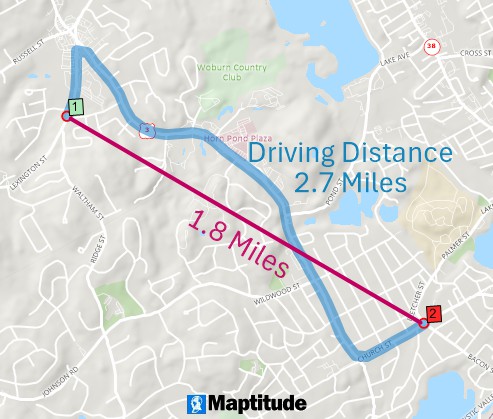
Measure straight line and driving distances between locations
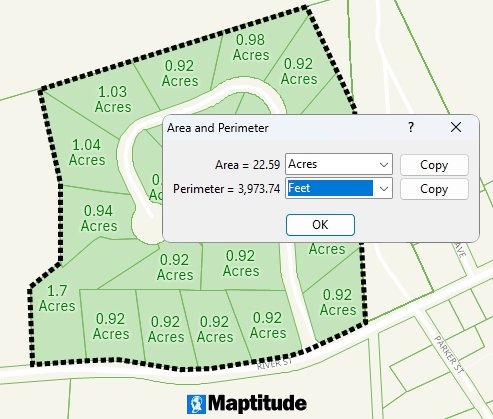
Measure area and perimeter of geographic areas
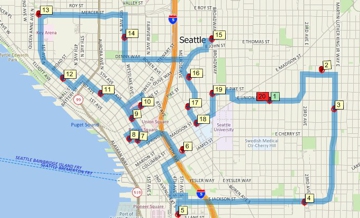
You can measure straight-line distances between any two points or trace a multi-segment path on the map in seconds. As you click along a route, Maptitude instantly shows the length of each segment and the total distance, simplifying route measurement. Geodesic calculations account for the Earth’s curvature to deliver accurate results even over long distances, so you can confidently use these measurements for tasks like logistics planning or site selection.
Maptitude also streamlines area calculations. Draw a polygon, circle, or any shape on the map and see its area immediately. The software supports both planar (flat map) and geodetic (curved earth) methods, ensuring accurate results for both small parcels and large territories.
The Maptitude 3D mapping tools extend measurement into the vertical dimension. You can query spot heights or draw an elevation profile between two locations to see how the terrain rises and falls. This is invaluable for site planning and infrastructure projects where understanding land slope or structure height is crucial. The Maptitude 3D measurements ensure you account for vertical as well as horizontal factors in your analysis.
The Maptitude measurement interface offers time-saving interactive features and precise controls to enhance the measuring process.
Maptitude makes it easy to measure complex paths by breaking them into segments and showing distances for each segment and the total. As you plot points, each segment's length updates in real time. Handy controls (like undo for the last point) and keyboard shortcuts let you adjust measurements quickly without disrupting your workflow. You spend less time fiddling with tools and more time analyzing results.
Snapping tools let you align measurement points exactly with existing map features for maximum accuracy. You can snap to endpoints, intersections, or along roads and boundaries to ensure your measurement starts and ends at precise locations. When working with elevation data, the profile view shows a cross-section of the terrain along your measured line, revealing how altitude changes. Together, snapping and profile views give you confidence that your measurements are precise in every dimension.
After you take a measurement, the result is clearly displayed on the map or in a small window. You can copy the distance or area value for use in reports, then clear the measurement when you’re done. Maptitude provides simple result management so you can quickly move on to the next task.
Maptitude allows you to adjust units and other preferences to fit your needs.
One click toggles between imperial and metric units (miles, kilometers, feet, meters), so distances and areas appear in your preferred system. This eliminates manual conversions and ensures everyone sees results in familiar terms.
You can also set default units and map projections so the software is already optimized for your projects, saving time and ensuring consistency.
The Maptitude measurement features integrate seamlessly with your broader GIS workflow, making it easy to share results.
You can save any measured line or shape as a layer and export it to common formats for use in other software. Or simply copy the measurement values into your reports. This makes it easy to include the Maptitude distance and area findings in your analysis and presentations.
As a full GIS platform, Maptitude fits into your existing mapping ecosystem. You can import data from other sources, measure in Maptitude, and then export your results in standard formats for use in other tools. This interoperability ensures Maptitude enhances your workflow without disrupting it.
For professional use, Maptitude provides precision features to meet the demands of technical projects.
The precision supported by Maptitude benefits professionals across many fields:
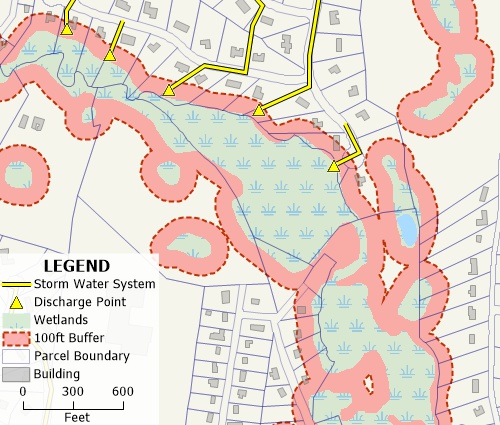
Define accurate wetland buffers at any distance
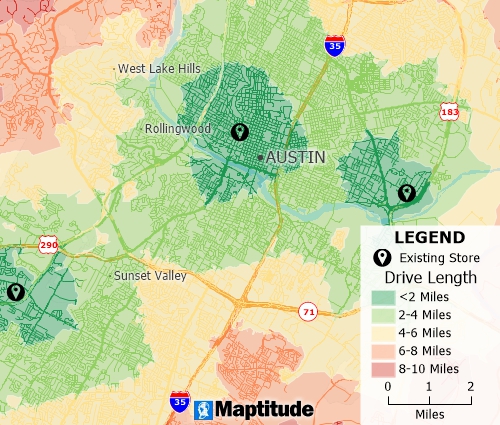
Compute distances to sites to visualize accessibility to your locations
For new users, the Maptitude measurement tools are straightforward to use. To measure on a map, simply open your map in Maptitude, select the distance or area tool, and click on the map to draw your measurement. The software immediately displays the result so you can adjust units or start another measurement as needed. If you want to explore these capabilities firsthand, get started with a free trial or a personalized demo.
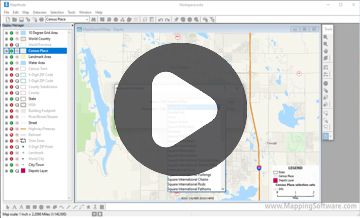
You can learn Maptitude quickly thanks to extensive resources. Video tutorials and help articles show how to use the measuring tools, and the user guide covers additional tips. If you need extra help, Caliper’s support team is just a call or email away. With these resources, even first-time GIS users can become proficient with the Maptitude measurement tools.

Home | Products | Contact | Secure Store
 Call Us

