Maptitude territory software gives you a suite of tools useful for creating territories for your business mapping needs. Maptitude empowers sales teams with robust territory management software.
| Maptitude Sales Territory Mapping Highlights |
|---|
|
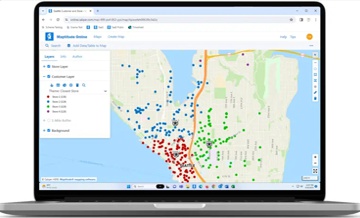
Slow performance, unexpected crashes, and the lack of a modern online solution? Maptitude eliminates these frustrations by delivering a fast, stable platform that can handle complex territory analyses without interruptions. In addition, Maptitude offers both desktop and online access, giving organizations the flexibility to work reliably from the office or in the field. This combination of performance, stability, and web availability ensures that your team can stay productive and collaborate effectively without the downtime or limitations found in legacy tools.
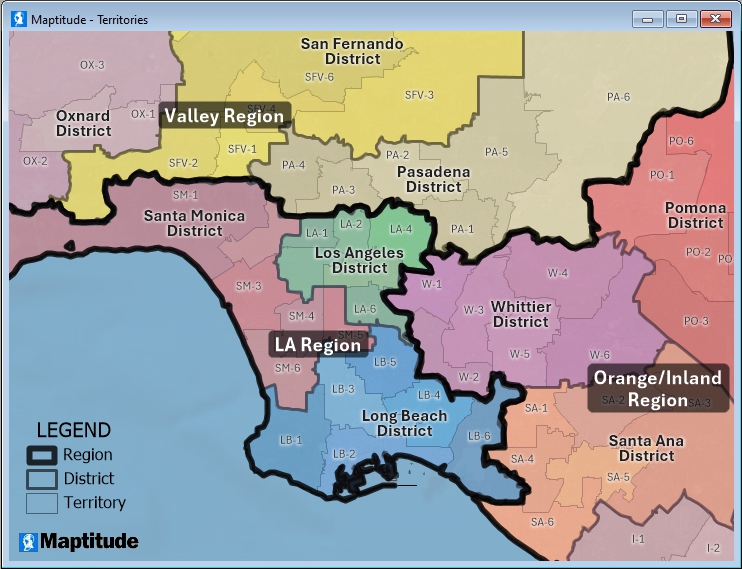
Maptitude desktop territory mapping software
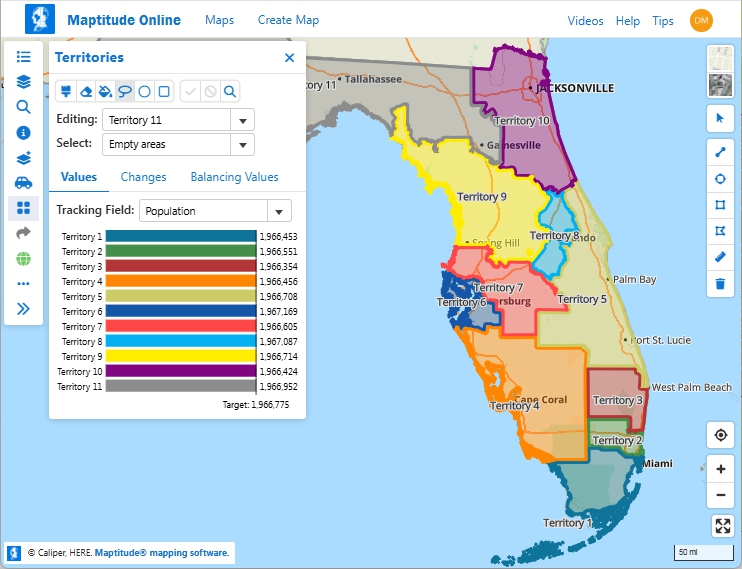
Maptitude Online territory mapping software
Often a territory is an area that is made up of several smaller areas merged together. For example, sales territories or market areas might be made up of groups of postal zones, counties, or other regions. Maptitude has a territory mapper wizard that can build the territories for you and compute the attributes and demographics of each one.
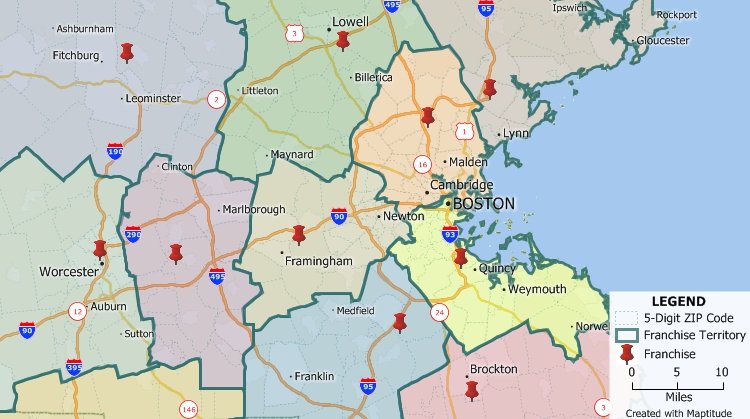
Group together ZIP Codes to make ZIP Code territories that are balanced by sales, customers, population, or other values.
You can use Maptitude to create territories based on a table or Excel spreadsheet of data; interactively by clicking on features in a map such as postal areas; or manually by drawing whatever boundary lines you require using the Maptitude editing tools. It is also possible to create overlapping territories or territories based on streets. Your territories can be stored natively in Maptitude or in formats including Shapefile, Oracle Spatial, or SQL Server Spatial.
Unlike many other mapping and GIS software packages that require users to purchase data separately, Maptitude is a professional territory map creator that includes extensive geographic and demographic data so that you can get started creating territories as soon as you install the software.
Maptitude has powerful tools for creating territories that include:
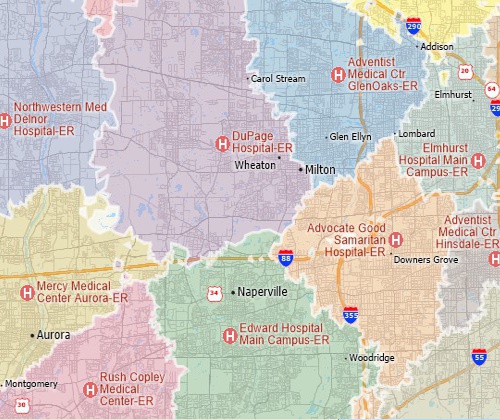
Create street-based territories such as these that are based on the shortest travel time to various hospitals.
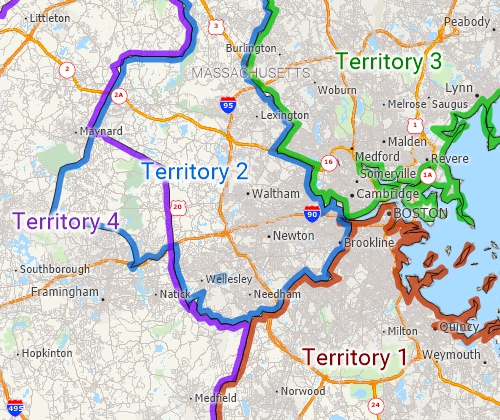
Create overlapping territories and visualize them with an "edge-based" color theme.
Unlike territory tools with undisclosed pricing, Maptitude publishes clear costs, US$695/year, so budgeting is straightforward. You can work on territories natively on the desktop or online, giving teams the flexibility to collaborate in or out of the office. By comparison, AlignStar centers territory design on a Windows desktop tool and uses Xactly’s cloud for publishing/review, which can limit pure browser-only workflows.
| Maptitude | AlignStar (Xactly) | |
|---|---|---|
| Published Price | $695/year | Not publicly listed on vendor pages/directories (request a quote). (Software Advice) |
| Deployment Model | Desktop app + online option (Maptitude Online for sharing and for stand-alone web app sales territory management) | Windows desktop authoring with cloud publishing/collaboration via Xactly Territories (hybrid) (Xactly) |
| Browser Access | Yes (share/view via Maptitude Online; also a stand-alone web app) | Yes for review/collaboration in the cloud; core design is positioned for desktop (Xactly) |
| Included Data | Extensive country data package included with both desktop and Online offerings | Not clearly specified on public pages (Xactly) |
| Positioning | Broad GIS + territory tools with transparent pricing | Territory design/optimization as part of Xactly’s planning stack (Xactly) |
URLs accessed 10/3/2025

|
“We use Maptitude extensively for running complex Territory Alignment scenarios. The depth of the product, its total utility and functionality is immense. Import-Export capability with Excel is seamless. It is easy to work with and Maptitude support is second to none. My complements to the Maptitude team: They have created a solid product and it is one of the best software investments we have made as an organization.”
|
 |
“Maptitude just works! We now build our franchise territories with ease. Our organization has benefited from our ability to strategically plan out prospective territories, gauge market penetration of our active franchise territories, and begin to identify what our top performing territories have in common.”
|

|
“A wonderful territory mapping program and then some! Ease of moving territories, obtaining census data and plotting territories to that data. Beautiful interface and several ways to customize the product and exports. The ability to pull in my older MapPoint files and data was a huge plus! Great video tutorials that help you get started as well.”
|

|
“Maptitude is helping our organization plan our field service territories and control our travel and response time.”
|
 |
“Maptitude makes my job easier! Simple territory creation & data loads. Customer Support team is amazing with this company!”
|
 CASE STUDY: How CKE Grew Their Business with Maptitude
Maptitude has tools for automatically creating territories. These territories can be balanced so that they contain equal numbers of customers, sales, population, or any other value.
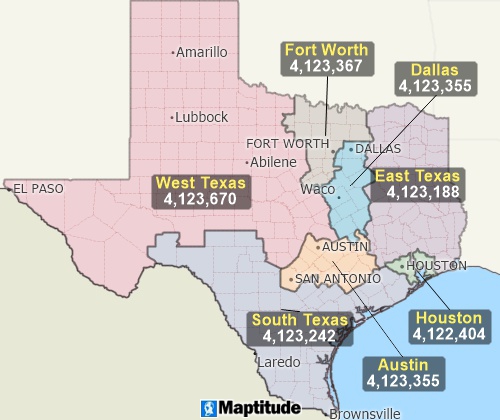
Maptitude territory mapping software can automatically create balanced territories from groups of features
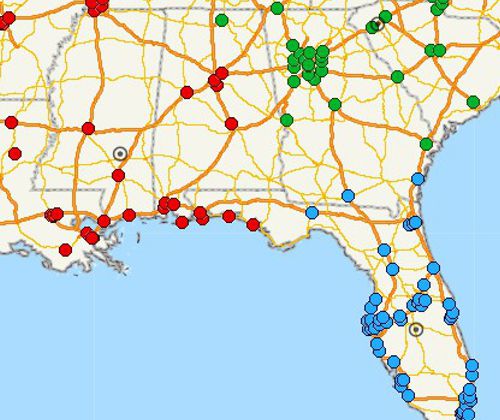
Maptitude territory planning software can automatically cluster and organize features into compact groups
The automatic territory creation tools are available free with the latest version of Maptitude. Please contact Caliper Sales at +1 617-527-4700 or sales@caliper.com for more information.
See also: Sales Mapping Software

 Check out our G2 Reviews

Home | Products | Contact | Secure Store
 Call Us

