Map Radius Tool - Radius Mapping

A map radius tool allows you to create custom radius maps with only a few clicks. You can immediately create an Excel report for your location that describes the demographics and locations within your search distance.

Free Trial Request a Demo

In this article:

Why Choose Maptitude for Radius Mapping?

Maptitude is a powerful and accurate radius mapping tool that lets you draw a radius on a map with ease. Whether you're planning routes, analyzing markets, or conducting boundary analysis, Maptitude offers unmatched flexibility and precision.

With Maptitude Radius Mapping Software, you can:

  • Draw a radius around a point, address, or set of coordinates
  • Create concentric circles with cumulative demographic analysis
  • Automatically create a radius around multiple locations
  • Merge rings together for multiple-location results
  • Customize the size and color of your radii  

Maptitude includes the most accurate ZIP Code and street data available, allowing for better business decisions than relying on spreadsheets alone. You can export your radius maps to:

  • Excel (as spreadsheets, data tables, images, or reports)
  • Google Maps or Google Earth (KML/KMZ formats)
  • ArcGIS (Shapefile, File Geodatabase, and more)  

Maptitude also offers consulting services for custom radius map creation and includes a robust mile radius calculator to determine proximity or travel costs between locations: features that go far beyond the basic "measure distance" tool found in apps like Google Maps.
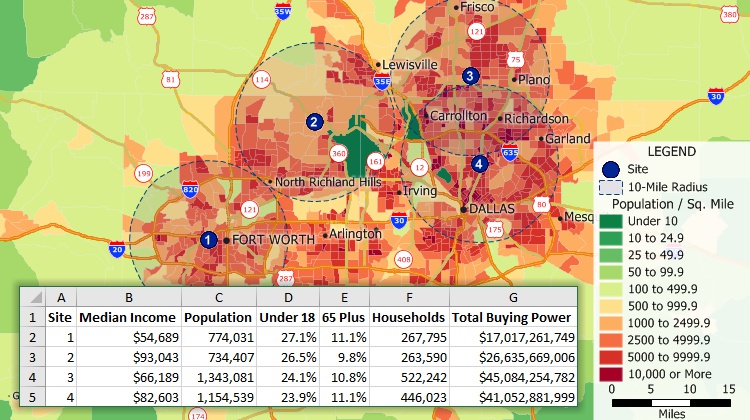
Create radius maps around one or more locations and estimate the populations within those radii

Create radius maps around one or more locations and estimate the populations within those radii

Free Trial Request a Demo

How to Create a Radius Map with Maptitude Online

This interactive map lets you see draw a circle of any radius. See the hospitals within any radius of any location in the U.S.

  1. Zoom or pan to a location of interest.
  2. Click the Circle Circle Tool tool to enable it.
  3. Click on the map, enter a radius value, choose the units, and click OK.

Radius Mapping Free Trial

To save your radius map, add your own markers/locations in bulk, and much more, try the full-featured version of Maptitude with a 1-month risk-free trial. No credit card is required. Get access to map radius tools, drive time radius tools, and many more advanced features by signing up for a free trial today!

Free Trial Request a Demo

What are radius mapping tools?

Map radius tools allow users to create and visualize maps of geographical areas based on a specified radius or distance from a central point. ZIP Code radius maps are an excellent way to explore and show market and trade areas.

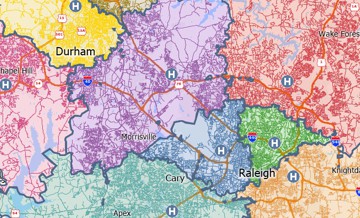
You can also create driving radius maps showing the fastest time rings or the shortest distance rings. Use these maps to identify how far customers are willing to travel to your stores or to find locations that are underserved by emergency services.

Matt Myers

“Affordable, easy to use, but powerful”

“I work in Real Estate market analysis. Maptitude has many tools for demographic and location analysis. I can pull population data within drive bands, radius, or various other ways. I create awesome visual maps that clients love. I have also done little more complex retail gravity huff model for regional shopping centres.”

Matt Myers
Sr Managing Director, Real Estate

Free Trial Request a Demo

What are the benefits of radius mapping software?

Radius mapping tools help businesses visualize location-based data to uncover patterns, inform strategy, and make smarter decisions. By analyzing the area around a specific point—such as a store, warehouse, or customer location—organizations can unlock powerful spatial insights.
Some of the key ways map radius tools deliver value include:

  • Understanding spatial patterns and relationships: Radius mapping software can help users understand the spatial patterns and relationships between different locations, such as the distribution of businesses or population densities within a certain radius of a city center.
  • Visualizing market reach and potential: Radius maps help businesses visualize the geographic area they can reach from a specific location to support expansion planning and market analysis. Overlay demographic data such as population density and income levels to assess market potential within the radius.
  • Analyzing data: Radius mapping software can be used to analyze data, such as demographics or economic indicators, within a specific geographical area. This can be useful for market research, planning, and decision-making purposes.
  •  Visualizing data: Radius mapping software can create visually appealing and easy-to-understand maps that can help users communicate and present data effectively.
  • Planning and decision-making: Radius mapping software can be used to inform planning and decision-making by helping users understand the potential impacts of their actions on a specific area.
  • Optimizing routes and logistics: Radius mapping software can be used to optimize routes and logistics by identifying the most efficient or cost-effective way to deliver goods or services to a specific area.
  • Evaluating the most valuable sites: Identify areas with high potential for new store locations or business ventures by analyzing spatial patterns and demographic data within a defined radius. Radius maps are valuable for site selection, marketing strategy development, and understanding customer profiles.
  • Learning about your customers: Understand how far customers are willing to travel to reach a business, aiding in site selection and service area analysis.
  • Analyzing competitive landscapes: Identify underserved areas within a radius to inform strategic expansion decisions.
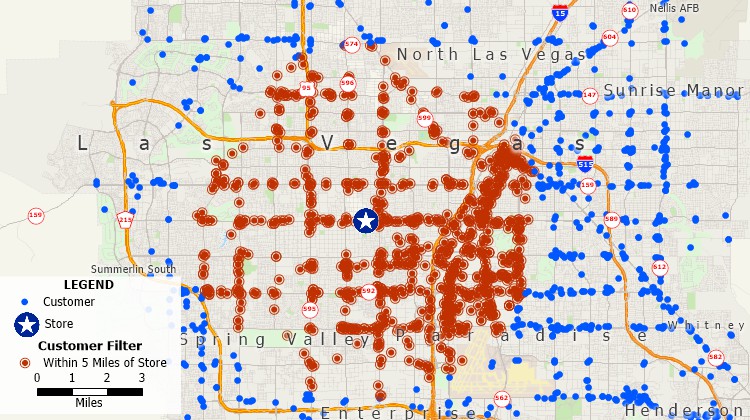
Map with customers filtered and highlighted based on whether they are within a certain radius of a store

Filter map features by radius

What are the different types of radius maps?

There are three types of radius map:

  • A manual radius map draws a radius on a map and exports the data to Excel
  • An automatic radius map automatically creates a ring map from a location or from multiple locations such as a list of addresses in an Excel spreadsheet
  • A distance/drive-time radius map creates a distance radius map for single or concentric circles for both straight-line and driving distance
Map radius tool ZIP Code radius map

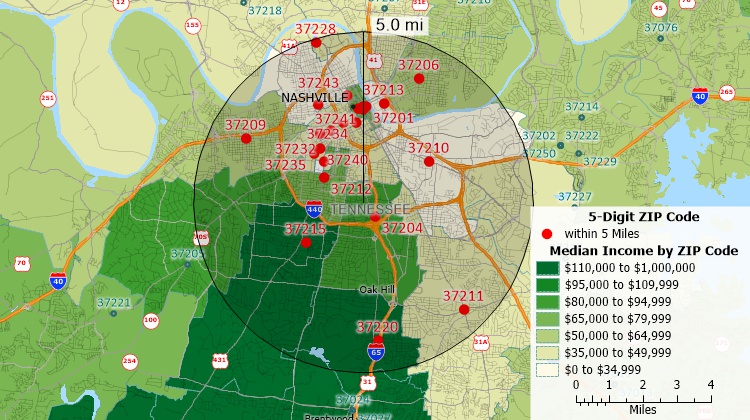
Use the Maptitude map radius tool to create ZIP Code radius maps - identify the ZIP Codes and demographics within any radius
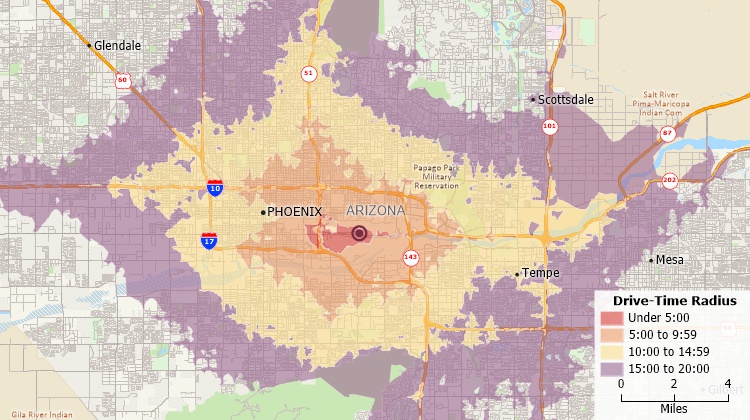
Driving radius map of 5-minute intervals around a location

A driving radius map can show driving distance or time rings around a location

Free Trial Request a Demo

What are examples of radius maps?

Radius maps show circle-shaped features to indicate the distance from a central point. Examples include choropleth heat maps, which show the intensity of an area in relation to the distance from the central point, and population density maps, which show how many people live within a certain radius.
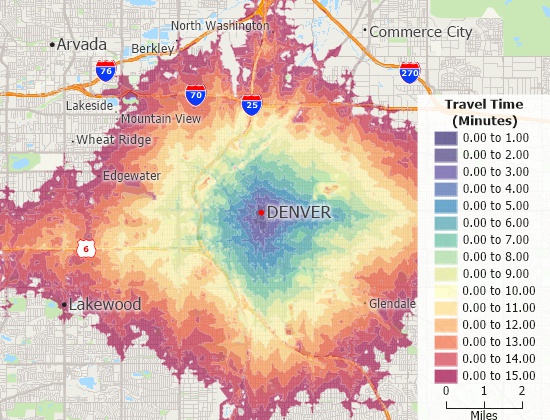
Drive-time radius map in one-minute intervals with a choropleth theme

A drive time radius map with a heat style
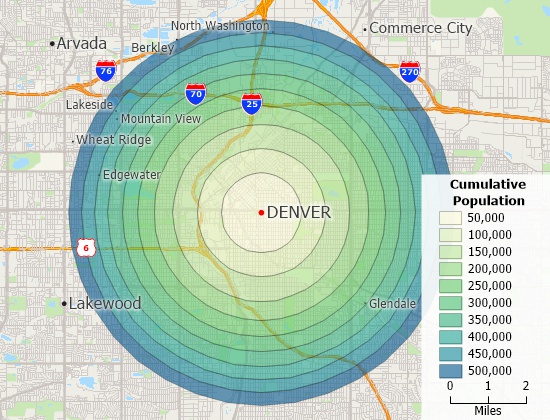
Radius map in shaded by cumulative population per ring

A radius map shaded by cumulative population per ring

What is a Map Radius Calculator?

A map radius calculator makes it easy to find alternative service providers, backup field representatives and the nearest locations. The calculator determines the closest sales representative to each customer or the closest vendor for each store. If the nearest location is not available for reasons such as low inventory or temporary outages, you will quickly be able to choose the alternate nearest suppliers. The results are provided in a table format.
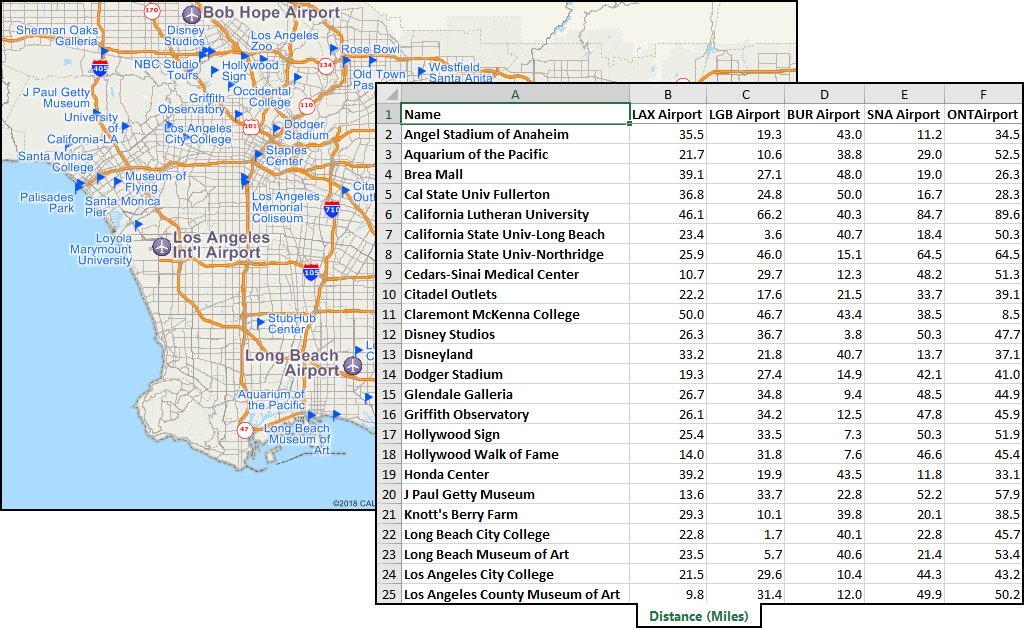
Map radius calculator results showing distances to landmarks from several airport locations

The map radius calculator identifies the distance to locations from one ore more central locations

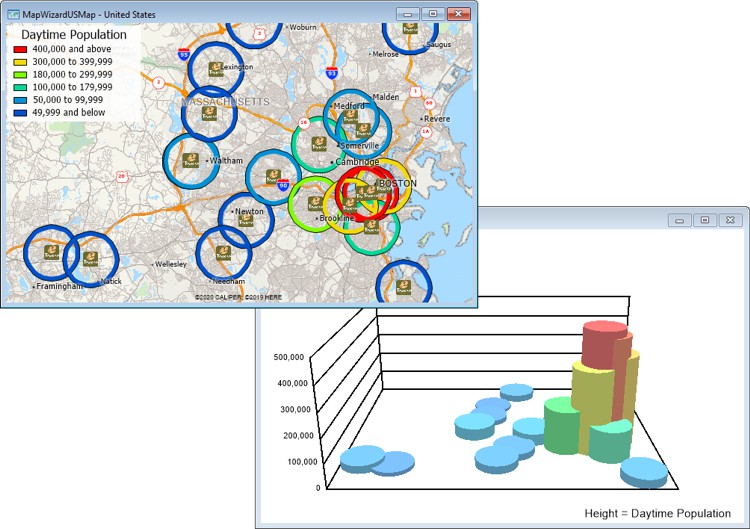
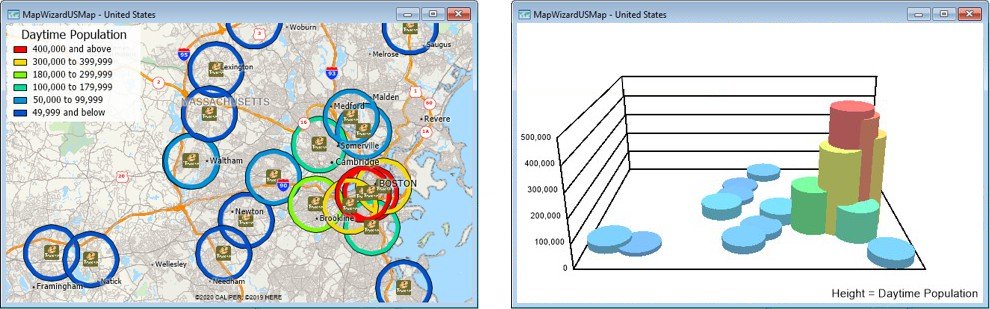
Create color and 3D map themes illustrating radius data with the Maptitude radius mapping app
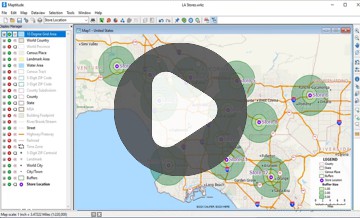
How to Make a Radius Map Using Radius Mapping Software

Watch a tutorial video on creating circular buffers with Maptitude
Watch a tutorial video on creating circular buffers with Maptitude

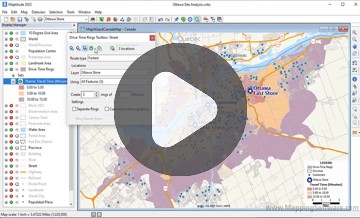
Watch a tutorial video on creating drive-time rings with Maptitude

Watch a tutorial video on creating drive-time rings with Maptitude

Free Trial Request a Demo

How to print and measure a radius map

To print and measure a radius map, you will need to follow these steps:

  1. Determine the center point of your radius map. This can be a specific location or a point on a map.
  2. Determine the radius of your map. This is the distance from the center point that you want to examine.
  3. Use a mapping tool or software to create the map. There are many tools available that allow you to create a radius map, including Maptitude, Google Maps, MapQuest, and Bing Maps.
  4. Enter the center point and radius into the mapping tool and customize the map as desired. You can choose different colors, styles, and labels for your map.
  5. Once you are satisfied with your map, you can print it by selecting the "Print" option in the mapping tool or by saving the map as an image file and printing it from another program.

It is also possible to create a radius map manually by drawing it on a blank map or paper. To do this, you will need to use a ruler or other measuring tool to mark the radius around the center point and draw the map by hand.

Get Started with Maptitude Radius Mapping

Request a demo of Maptitude to see how you and your team can use radius mapping software to better understand your data!

Schedule a Free Personalized Demo

 Free Trial  Buy Now 
 

Related Articles

Find Us 1172 Beacon St., Suite 300
Newton MA 02461 USA

Home  |  Products  |  Contact  |  Secure Store

Copyright © Caliper Corporation