8 December 2025
Your team works across multiple states. Field staff review routes on tablets between stops. Operations needs territory details at a moment’s notice during client calls. So why keep paying more for a tool that delivers less? If your mapping platform offers limited tools that cannot answer real business problems, then it is holding your organization back.
Maptitude gives you the best of both worlds. You get the unmatched speed and analytical power of desktop when you want it, and you also have Maptitude Online as a complete cloud alternative if your team prefers a fully browser-based workflow. Either way, your maps, data, and tools work the way your organization needs them to, not the other way around.
This article walks through 16 reasons why Maptitude is the stronger choice compared to Maptive for businesses that need flexibility, speed, power, and practical results in real day to day operations.
| Advantage Area | Why Maptitude (Desktop + Online) Is Better |
|---|---|
| Business reputation | Well-established and respected GIS company with USA-based Development, Sales, and Support Teams. |
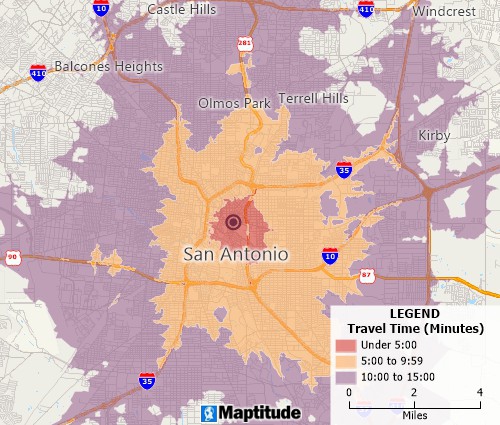
| Real mapping power | Full mapping toolkit: powerful territory tools, clustering, drive-time analysis, demographics, spatial analytics, and customization. Desktop handles heavy analysis while Online supports sharing and as a complete cloud alternative. |
| Raw speed and large dataset handling | Desktop computing means local CPU, local RAM, and no browser or network bottlenecks. By industry fact, desktop software processes more data, faster, than SaaS tools. Maptitude handles large files smoothly. |
| Built-in data advantage | Ships with ZIP Codes, boundaries, demographics, business data, and rich GIS layers. Online gives instant access to the same curated datasets. |
| Accuracy and professional precision | High-accuracy and unlimited geocoding, drive-time modeling, spatial statistics, territory balancing, and realistic GIS workflows expected in professional mapping. |
| Flexible deployment and enterprise control | Desktop for fast heavy analysis + Online for access anywhere. Works offline, supports secure internal deployments, automation, and local data access. |

|
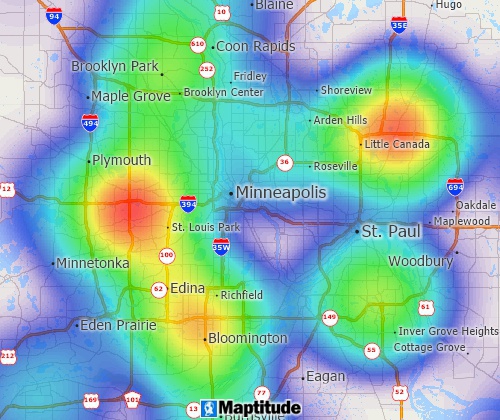
“Great Map Software. Works perfectly for our needs. Building territories are simple and we just used the heat map functionality to adjust our service routes. Pros: Fair Price - a great amount of data is included with the software and their support is awesome. Cons: not much - fairly intuitive to navigate.” Alternatives
Considered
|
In addition, Maptitude has all of the tools your business needs to succeed with location intelligence:
| Why Maptitude (Desktop + Online) Is Better | |
|---|---|
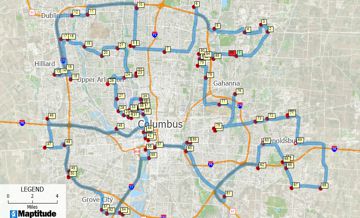
| Routing and logistics | Multi-stop routing, drive-time optimization, fleet planning, and full routing tools in Desktop. |
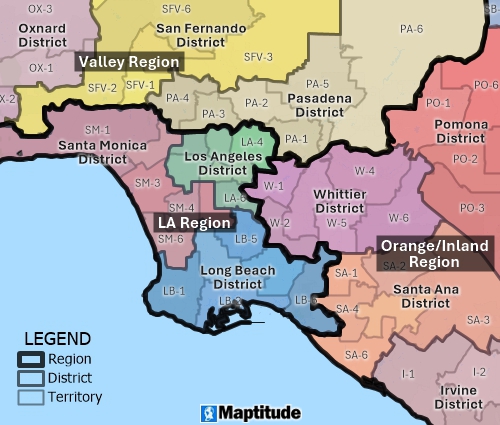
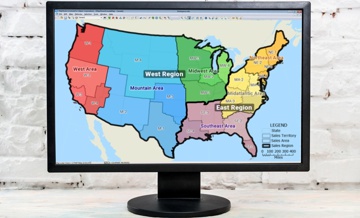
| Territory management | Supports territory hierarchies (territories → districts → regions), weighting, balancing, splitting, merging, and demographic reporting. |
| Map quality and styling | Full cartographic control, custom layouts, advanced labeling, multiple themes, and print-ready design. |
| Automation | Scripting, batch workflows, automated map creation, repeatable processes, and enterprise automation. |
| Data privacy and control | Desktop allows fully local data storage, offline mapping, and secure internal deployment. |
| Format flexibility | Reads/writes shapefiles, GeoJSON, KML, rasters, spreadsheets, SQL databases, and many other GIS formats. |
| Geoprocessing power | Buffers, overlays, dissolves, spatial joins, density mapping, thematic analysis, and spatial statistics. |
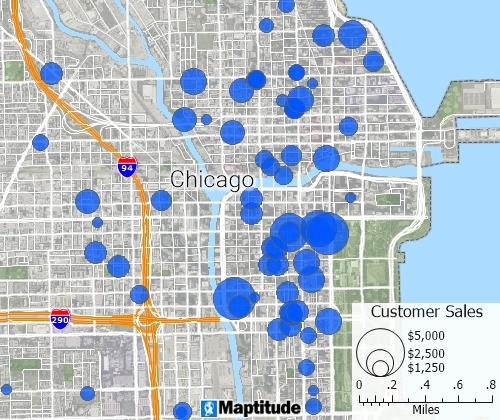
| Advanced analytics | Heat maps, dot density maps, proportional symbols, multi-variable classification, and analytical mapping tools. |
| Report and print output | High-resolution map layouts, map books, multi-page reports, and professional export options. |
| Global data coverage | Extensive international data packages covering many countries with matching geographies and demographics. |

 Check out our G2 Reviews
Home | Products | Contact | Secure Store
 Call Us

