



Author: Stewart Berry

23 October 2025
In 2025, GIS software continues to play a vital role in mapping, analysis, and decision-making across industries. From commercial tools offering comprehensive data integration to open-source platforms providing budget-friendly solutions, the best GIS software enables users to visualize, analyze, and interpret spatial data effectively. This list highlights the top GIS platforms, showcasing the latest updates and features to help users choose the right tool for their needs.
GIS software is becoming increasingly essential for a variety of purposes. From creating visual representations of geospatial data to optimizing spatial analysis and completing data visualization projects, there are many ways to make use of Geographic Information Systems (GIS). With the sheer number of GIS software platforms now available, it can be difficult to find the best GIS software to suit your needs. Before deciding, you should evaluate which features are offered, the pricing, and any advantages or disadvantages. To help you make an informed choice, we’ve compiled a list of the top 6 free and paid GIS tools for 2025. This breakdown of available software provides information to make sure you are selecting the right tool for your specific geospatial use case.
Each of these platforms provides unique capabilities, ranging from basic GIS functionality to complex geographic analysis and spatial data visualization. However, it’s important to understand the pros and cons of each platform before deciding on which one to use.
GIS software has become an invaluable tool for businesses, organizations, and individuals alike. From tracking deliveries to optimizing routes, it has significantly enhanced the management of complex tasks with greater precision. Given the many options available, determining the most suitable GIS software can be a daunting task. To provide guidance, here are the top 6 GIS software programs, complete with their strengths and weaknesses.
Summary:
2024 updates added enhanced territory management, route optimization, and integration with the cloud-based Maptitude Online platform.
Overview:
A versatile GIS suite with robust mapping, spatial analysis, and decision-making tools, plus extensive built-in datasets. Offers offline or online options and flexible pricing models.
Pros:
Cons:
Ideal for:
Businesses needing a comprehensive, user-friendly GIS with strong analytics and included data.
Detail:
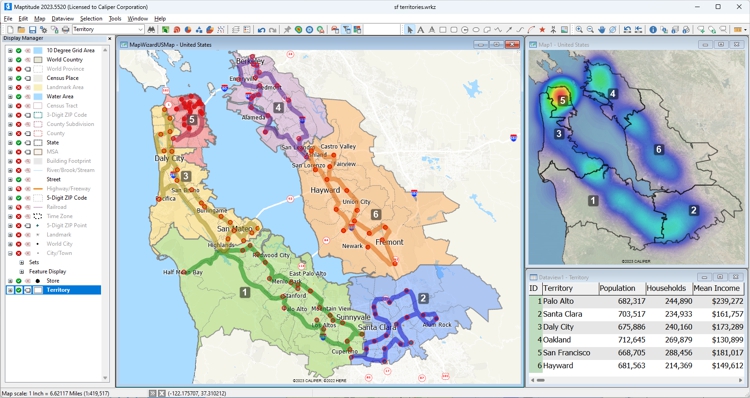
Maptitude remains the most versatile GIS software for businesses, offering robust tools for mapping, spatial analysis, and decision-making. Its 2024 updates introduced enhanced territory management, route optimization, and integration with the cloud-based Maptitude Online platform, which enables teams to collaborate seamlessly. Additionally, Maptitude includes extensive built-in datasets, such as demographics and traffic data, making it a comprehensive and cost-effective solution for professionals.
Whether you prefer an offline or online GIS solution, one-time payment options, or subscription plans, Maptitude GIS software has you covered. Regardless of your choice, you gain access to a comprehensive suite of analytical, reporting, sharing, and visualization tools. Moreover, Maptitude boasts an extensive dataset encompassing traffic statistics, demographic information, business locations, and much more.
Not only does Maptitude offer exceptional flexibility in pricing models to suit your preferences, but it also stands out with some of the most competitive prices in the industry.
Maptitude is a robust GIS software suite designed to cater to a wide range of mapping and data analysis needs. It is designed for organizations that require data visualization and analysis and supports most geospatial data formats. The advantages of Maptitude include its array of powerful features, user-friendly interface, and extensive data analysis capabilities. Additionally, it stands as the most cost-effective solution compared to other GIS or mapping systems.
Maptitude offers both desktop and online versions, each providing comprehensive functionalities for reporting and business intelligence. These include features for sales territory alignments, heat maps, routing optimization, and logistics management.
Key features:
This interactive map lets you see the median income for U.S. ZIP Codes and proximity to major U.S. airports.


|
“We've been using Maptitude for more than 20 years. It is by far 'the best bang for the buck' in GIS software. I can't believe the amount of demographic data that comes with the product. The sophistication is incredible, but the software is relatively simple to use. We've been using Maptitude to map our CRA Assessment Areas for banks. We also use it for branch impact studies (required by regulators). When we started using drive-time rings to determine the practical service area of bank branches the regulators were really impressed.”
|

|
“When we are helping financial institutions create and define geographically targeted market segments, HMDA and CRA Small Business analysis, loan trends, Competitive Analysis, market share, Business and Deposit trends - our tool of choice is Maptitude. It is one of the most affordable and feature-packed desktop GIS software in the market. It comes bundled with all the Census and other spatial data related to the financial service industry.”
|

|
“I've had the good fortune, or misfortune, to use quite a few GIS software packages over the past few years and can assure you that Maptitude is streets ahead when it comes to ease-of-use. The trick with any GIS is to understand the terminology, and Maptitude communicates it's functionality through a common-sense menu structure. The result is that a new user is up and running with an extensive range of capabilities within a very short time.”
|
Summary:
2024 updates improved symbology tools, automated line smoothing, and expanded plugin functionality.
Overview:
Free, open-source GIS with a wide range of standard tools and strong community support; dependable for mapping and spatial analysis.
Pros:
Cons:
Ideal for:
GIS enthusiasts and professionals seeking a cost-effective alternative to commercial platforms.
Detail:
QGIS is an open-source GIS platform known for its flexibility and
strong community support. The 2024 updates improved symbology tools,
automated line smoothing, and expanded plugin functionality,
enabling users to create polished maps and perform advanced spatial
analysis. QGIS is ideal for GIS enthusiasts and professionals who
need a cost-effective yet powerful alternative to commercial
platforms.
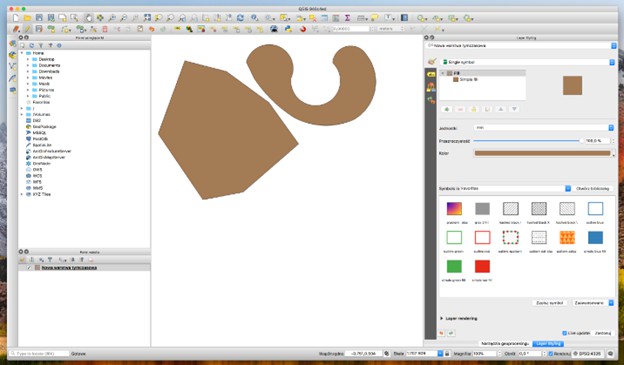
QGIS, also known as Quantum GIS, offers a reliable solution for GIS enthusiasts and professionals alike. While it may not outshine Maptitude in terms of integrated data, functionality, and ease of use, it serves as a dependable option for various mapping and data analysis tasks.
QGIS is favored for its open-source nature, which means it's entirely free to use, making it a budget-friendly alternative. It provides a wide range of standard GIS tools, including data visualization, spatial analysis, and map creation. Users can also access a supportive community and extensive documentation for assistance.
QGIS is a solid choice for those who require GIS capabilities without the budget for commercial options. While its interface is not user-friendly for beginners and likely requires customization to meet certain business needs, it offers a dependable platform for GIS enthusiasts.
Key features:

|
“Absolutely, I have Maptitude, ArcGIS, and QGIS and all the time I use Maptitude. What Maptitude can do, others cannot!”
|

|
“I also use the open-source package QGIS occasionally. But despite the fact that Maptitude costs money and QGIS is free, I think Maptitude is the better value when you consider total cost of ownership: it is much easier to use, and the data bundled with the software alone (including a license for the commercial HERE streets data) is worth the price of admission.”
|
Summary:
2024 enhancements include faster data processing, new 3D visualization tools, and improved ArcGIS Online integration.
Overview:
An extensive GIS ecosystem popular across sectors, with strong geospatial and statistical analysis and collaboration features.
Pros:
Cons:
Ideal for:
GIS professionals managing large-scale projects who need extensive analysis and 3D capabilities.
Detail:
ArcGIS Pro is the industry leader in geospatial analysis and 3D
mapping. In 2024, Esri introduced enhancements such as faster data
processing, new 3D visualization tools, and improved integration
with ArcGIS Online. ArcGIS Pro’s wide array of geospatial analysis
tools, coupled with its strong community support, make it the go-to
choice for GIS professionals managing large-scale projects.
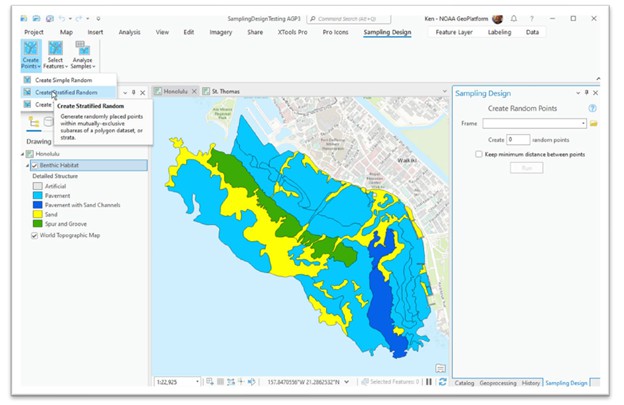
Esri's ArcGIS software enjoys popularity across various sectors, including education and government. It has a diverse set of features and tools that empower users to create, collaborate on, and dissect maps. The advantages encompass the ability to access data from multiple sources, robust analytical capabilities, and seamless map-sharing functionality. However, some users have noted a steep learning curve and the associated costs of subscription fees and usage credits as potential drawbacks.
The hallmark of Esri's software lies in its extensiveness, with an array of supplementary products that extend its functionality. Users also benefit from online support services and comprehensive documentation resources.
On the flip side, utilizing Esri software may necessitate a significant time investment to master its intricate features, and is considered costly when compared to more budget-friendly alternatives. Ultimately, Esri ArcGIS stands as a strong GIS and data visualization ecosystem. Nevertheless, it is essential to carefully weigh the pros and cons to determine if it aligns with your specific geospatial analysis needs.
Key features:

|
“Maptitude is a great GIS program that is infinitely easier to use than ArcGIS. I am a novice at GIS software, and I have access to both ArcGIS and Maptitude. Maptitude is significantly easier to use. ArcGIS is a very powerful sophisticated program, but it would take me weeks to learn to do some things that Maptitude does intuitively.”
|

|
“In 2013, my company made a decision to move from ArcView to Maptitude because of ESRI’s annual licensing fees and the high expense for their extensions. At first, my GIS analyst was concerned about such a sudden change, but he was able to get proficient in only about a week. My firm serves school districts around the country, providing maps and demographic data to help with enrollment planning. Since changing to Maptitude, several clients have commented that the maps are easier to read, and provide more information than we used to be able to provide under ArcView. It was a good move. I just wish I had done it sooner.”
|
Summary:
2024 updates added improved 3D rendering, custom landmarks, and better performance for real-time map visualizations.
Overview:
A cloud mapping platform for developers to build highly customized, interactive maps using vector tiles and rich styling.
Pros:
Cons:
Ideal for:
Teams building tailored, developer-led GIS applications and custom map experiences.
Detail:
Mapbox Studio is a GIS platform designed for developers seeking
to create highly customized and interactive maps. The 2024 updates
introduced improved 3D rendering capabilities, custom landmarks, and
enhanced performance for real-time map visualizations. While it
caters to developers, its rich feature set makes it a compelling
option for advanced GIS applications.
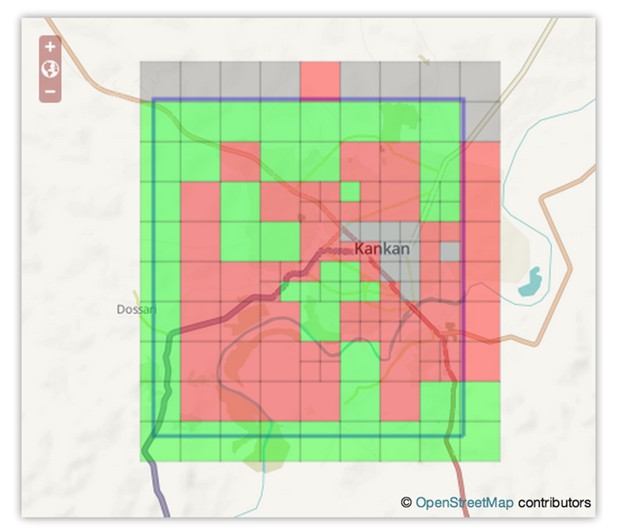
Mapbox stands out as a versatile platform catering to developers seeking to build tailored applications, including specialized solutions. Mapbox operates as a cloud-based mapping platform, offering the flexibility to create personalized maps enriched with satellite imagery, street views, and more. Its vector tiles ensure swift loading times, even when dealing with extensive datasets, with a wide array of customizable map styles.
While Mapbox boasts an array of impressive features, it's essential to note that some functionalities are exclusive to the paid versions. Furthermore, the software primarily targets programmers who develop customized solutions. Programmatically harnessing Mapbox might pose a steep learning curve while engaging third parties for development work could incur extra costs. Interestingly, Maptitude Online leverages Mapbox to deliver a comprehensive solution, combining the strengths of both platforms.
Key features:
Summary:
2024 updates refined workflow efficiency and improved integration with external databases.
Overview:
A long-standing desktop mapping tool for precise spatial analysis and visualization, suited to advanced users in areas like market research and urban planning.
Pros:
Cons:
Ideal for:
Professionals with complex mapping needs who want powerful desktop GIS capabilities.
Detail:
MapInfo Pro is a robust GIS platform for professionals who need
precise spatial analysis and data visualization. Its 2024 updates
refined workflow efficiency and introduced better integration with
external databases, making it ideal for advanced users. MapInfo Pro
is particularly suited for market research, urban planning, and
location-based decision-making.
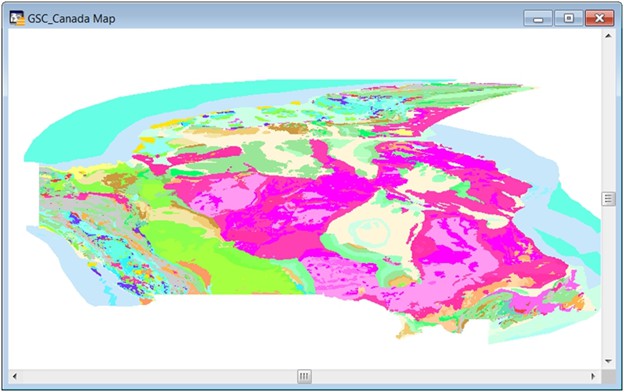
MapInfo Pro is a long-standing desktop mapping tool now owned by Precisely. If your business needs advanced mapping capabilities, MapInfo Pro is a solid choice. It lets you import and analyze location data and perform complex spatial analyses. Just be aware that it might have a bit of a learning curve and require more technical expertise compared to software designed specifically for business use.
MapInfo Pro is a reliable choice for advanced mapping, offering powerful spatial analysis tools. While it may take some time to get the hang of it, it's worth it for businesses with complex mapping needs.
Key features:

|
“As a former MapInfo user, I like the ease of use of this product. It is much easier to do many things in Maptitude compared to tools like MapInfo, but there is plenty of power. Adding aerial maps is simple and the layer controls are easy as well. The price is also affordable.”
|

|
“As far as ease of use goes Maptitude takes the prize, Maptitude is definitely easier to use right out-of-the-box and the learning curve for advanced functions is shorter than with MapInfo. As for presentations, Maptitude takes the prize again over MapInfo. The folks at Caliper took great pains and effort to make a GIS software application that is as user friendly as possible.”
|
Summary:
2024 updates added new styling
options, dynamic clustering tools, and improved data integration
workflows.
Overview:
A cloud GIS platform for spatial
analysis and data visualization, with APIs for data management and
dashboard-style interfaces and a library of plugins.
Pros:
Cons:
Ideal for:
Businesses with the skills and
staff to deploy a scalable, API-driven location intelligence
platform.
Detail:
Carto focuses on providing location intelligence for businesses
and analysts. The 2024 updates added new styling options, dynamic
clustering tools, and better data integration workflows. These
enhancements make Carto a powerful platform for creating data-driven
visualizations and interactive maps.
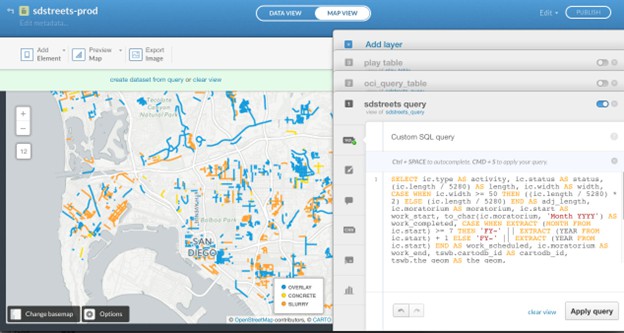
Carto is a versatile cloud GIS platform designed to empower users with a rich set of tools for spatial analysis and data visualization. It offers an API for data creation, management, and analysis and supports the setup of dashboard-style interfaces. Carto has a library of diverse plugins, catering to specific tasks and operations, including integration with CRM systems.
Carto's scalability makes it a good choice for businesses equipped with the skills and the right technology stack to deploy it effectively. However, it's worth noting that Carto's technical requirements can be relatively high, which may pose accessibility challenges for some organizations, particularly those without programmers.
Carto is a robust platform for spatial analysis and data visualization, best suited for businesses with the necessary technical capabilities. While it may have some entry barriers, it rewards tech-savvy users with powerful mapping and data analysis capabilities.
Key features:
In 2025, GIS software continues to empower users across industries with tools for mapping, spatial analysis, and data visualization. From the user-friendly design of Maptitude to the open-source versatility of QGIS and the advanced analytical capabilities of ArcGIS Pro, these platforms redefine how spatial data is used for decision-making and problem-solving. The latest updates ensure that users have access to innovative, efficient, and powerful GIS tools that meet the demands of modern workflows.
In conclusion, each of these GIS platforms offers unique capabilities and features that can be used to help organizations visualize and analyze their data. However, as shown in the rankings above, Maptitude is the perfect choice for businesses seeking to generate impactful maps that can boost their bottom line. With sophisticated, but user-friendly features, Maptitude enables you to link to data sources, build maps, and to distribute them to both internal teams and external audiences. With all these great tools, at an unbeatable price point, there's no better GIS solution around.

|
“I've been using Maptitude for more than 15 years. It is simply the best tool available for businesses that need a market planning mapping and data resource. It can do everything I need it to do - from the very simple to the complex. It integrates nicely with other programs and file types making analysis and presentation very easy. I highly recommend Maptitude to firms who need a function-rich GIS mapping solution. It is the best!”
|

|
“Pros: Cost. Much easier to reach a purchasing decision. I loved the integrated country data package so I didn't have to download census layers and other info - it was all built in.”
|
Learn more about Maptitude to see how you and your team can benefit from mapping software!
Schedule a Free Personalized Demo

 Check out our G2 Reviews

Home | Products | Contact | Secure Store
 Call Us


