




Author:
Stewart Berry
Images: Dan Martin
13 August 2025
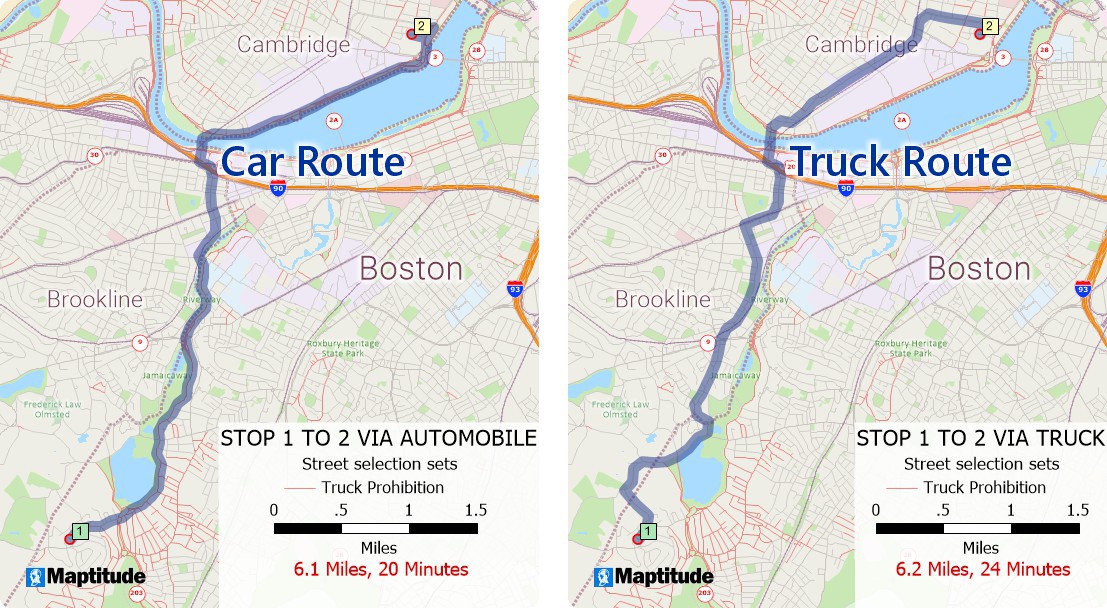
Routing isn’t just about getting from point A to point B: it’s about maximizing efficiency, controlling costs, and delivering exceptional service. Whether you’re managing a local fleet, a regional delivery network, or a national logistics operation, Maptitude 2025 gives you the precision and insight to make every route smarter, more efficient, and more profitable.
If you’re still planning routes in Google Maps or relying on outdated tools, this release of Maptitude has the cost-aware, analytics-driven features you won’t find anywhere else.
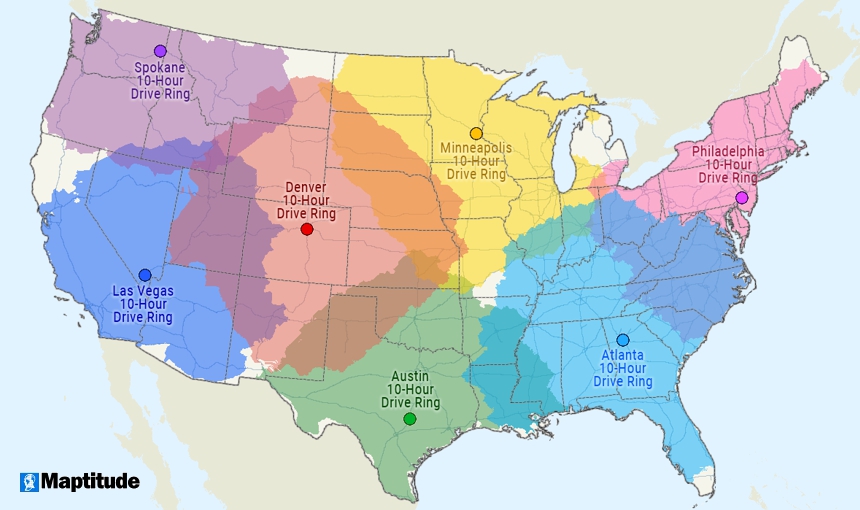
Need to understand your footprint? Maptitude now supports unlimited drive-time rings and multi-origin influence areas, making it easy to evaluate service territories, identify underserved areas, and plan future expansion.
How to do it:
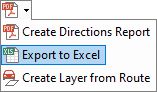
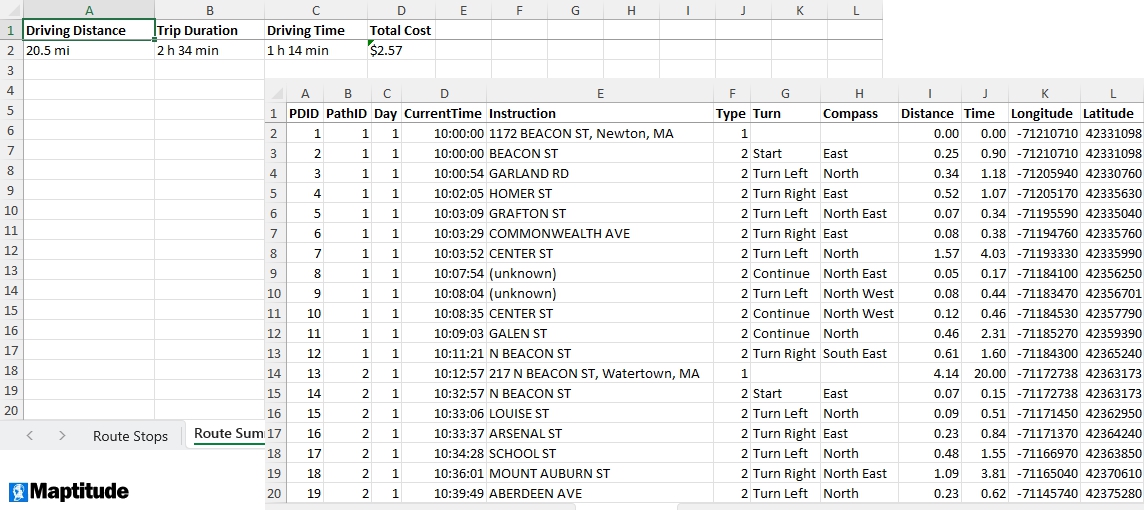
Transparency and accountability are built in. You can now export Excel route summaries that detail every stop, timestamp, distance, and cost breakdown. Share these with your team, clients, or stakeholders for quick understanding and easy reporting.
How to do it:
Maptitude:
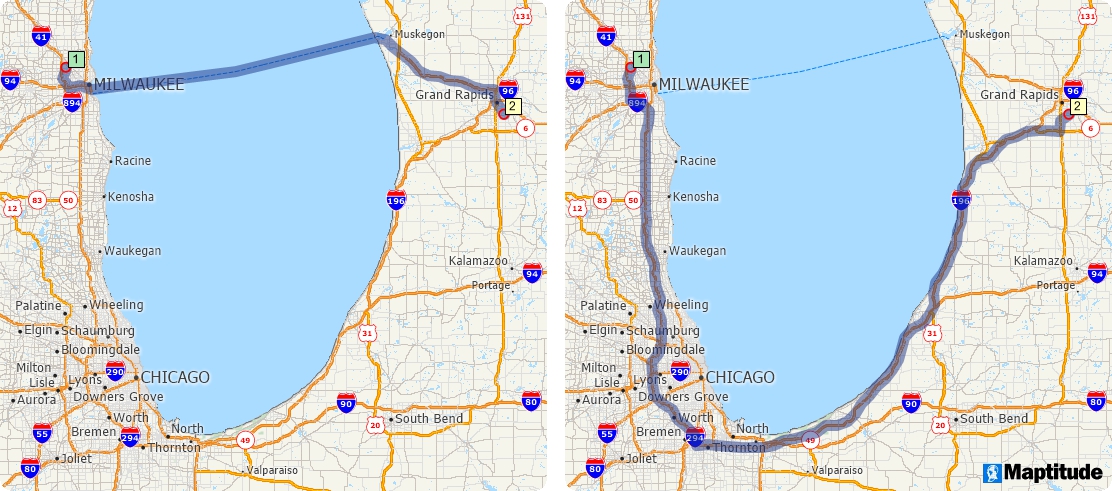
Need routes that bypass ferries or avoid certain roads entirely? Maptitude 2025 adds valuable control with its Enable/Disable Links feature, letting you tailor routing to your real-world needs.
How to do it:
When you're ready to reset, simply uncheck both boxes to compute routes that use all links and ferries.
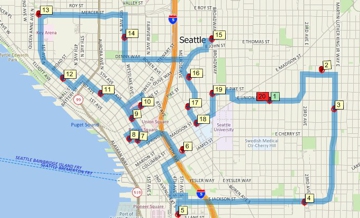
Time spent idling is time wasted. Our enhanced tools help you minimize vehicle downtime, cutting labor costs while improving fleet utilization. Whether managing a local service crew or a multi-state delivery operation, Maptitude ensures every vehicle is working at its best.
How to do it:
For example, if your drivers are paid for the entire shift from the moment a vehicle becomes available (including time spent idle before leaving the depot), factoring idle time into the route calculation can reduce overall labor costs and improve fleet utilization. On the other hand, if idle time is irrelevant to your costs or operations (e.g., you only pay per mile driven), then you may not need to include it in the optimization.
 |
“Using Maptitude to work out the closest members of staff to each store we visit has been incredibly helpful in reducing the travel done by our merchandisers, leading to positive environmental and financial results.” Aimee Barlow |
Every mile and every minute matters. Maptitude 2025 lets you model per-mile or per-hour costs for your fleet, making it easy to account for fuel, labor, and even specialized operating expenses like refrigerated ("reefer") transport. This means you can optimize routes with profitability in mind not just distance.
How to do it:
 |
“We purchased Maptitude for a yearly mapping project. We are a non-profit charitable organization and our volunteers deliver gift bags to all 930 member families. It was my task to map 85+ delivery routes to all member families in our local area. I was seeking a substitute for Microsoft Streets and Trips. Maptitude is like Streets and Trips on steroids. I think there is probably not much Maptitude can't do.” Debbie Lagerborg |
 Cut costs: Optimize routes to save fuel, labor, and maintenance expenses
 Boost productivity: Minimize idle time and maximize vehicle use
 Enhance reporting: Share detailed Excel route data with teams and clients
 Expand strategically: Identify high-potential areas with drive-time analysis
 Deliver better service: Keep routes reliable, efficient, and customer-focused
From cost-aware routing to idle-time reduction to advanced coverage analysis, Maptitude 2025 gives you all the tools you need to plan smarter routes and deliver smarter results.
If you already use an earlier version of Maptitude, you can upgrade to the 2025 version here. New to route mapping? Try a free demo or reach out to our team to see how Maptitude can help.
Schedule a Free Personalized Demo

 Check out our G2 Reviews
Third-party trademarks are used for identification and descriptive purposes and do not imply affiliation or endorsement. See Third-Party Trademarks.

Home | Products | Contact | Secure Store
 Call Us

