18 September 2026
Maptitude is a powerful sales territory mapping software, trusted
by Fortune 50 companies, that helps businesses to create,
manage, and optimize their sales territories. Maptitude integrates
your sales data with geolocation data to provide valuable insights
into markets, customers, and competitors, ultimately improving sales
efficiency, productivity, and profitability.
Free
Trial
Request Demo
Why Choose Maptitude for Sales Territory Management?
- Create custom sales territories using a
wide range of criteria, such as geographic boundaries,
demographic data, sales revenue, and customer locations. Tailor
each territory to match your unique business goals.
- Design balanced and efficient territories
using intuitive tools that ensure workload equity and optimal
coverage, helping your sales team reach the right customers
without overlap or missed opportunities.
- Analyse sales performance and market trends
to uncover insights that inform strategy. Visualise customer
density, track key metrics, and make data-driven decisions about
where to focus your efforts.
- Easily share and collaborate on sales territory maps
in real-time through interactive web maps, images, and PDFs,
fostering seamless team communication and alignment.
These are just a few of the features Maptitude offers. From
drive-time analysis to advanced reporting and customisation options,
Maptitude gives you everything you need to optimise your territory
planning and boost sales performance.
Maptitude Sales Territory Mapping Software Features
Maptitude includes a wide range of features that make it ideal
for sales territory mapping, including:
- Comprehensive geographic and demographic data: Maptitude
includes a wide range of geographic and demographic data that can be used to create
sales territories that are targeted to your specific customer base.
- Interactive data visualisation: plot
customer data and sales trends on heat maps and interactive maps
for comprehensive performance analysis.
- Powerful territory design tools: The Maptitude territory design
tools make it easy to create sales territories that are balanced,
efficient, and effective. You can create territories based on a
variety of factors, including geography, demographics, sales, and
customer locations.
- Territory creation and alignment: manage
territories based on postal codes, suburbs, states,
demographics, sales potential, and customer behavior to tailor
strategies to business goals.
- Advanced geospatial analysis tools: The Maptitude geospatial
analysis tools can be used to map sales by location to identify
patterns and gaps. This information can be used to make better
decisions about how to allocate your sales resources.
- Geo-analytical optimisation: leverage advanced spatial analytics to plan, design, and realign territories for optimal coverage and efficiency
- Flexible
reporting and sharing options: Maptitude can generate a variety of
reports and maps that can be shared with your salespeople and other
teams as
interactive online maps or as report files.
- Route optimisation: algorithms to plan
efficient sales routes, reducing travel time and costs for
representatives.
- Performance monitoring and measurement:
track key metrics like sales volume, revenue, quota attainment,
and customer satisfaction to evaluate territory and rep
performance.
- Data import and integration: upload data
from various sources such as Excel, Google Sheets, CRM systems
like Salesforce (coming 2026) and Microsoft Dynamics 365, and ERP systems for
seamless workflow integration.
- Lead management: import, track, and
generate leads based on ideal customer profiles to enhance sales
prospecting and follow-up.
Free
Trial
Request Demo
Benefits of using Maptitude for sales territory mapping
- Improved sales efficiency. Maptitude can help you to create
territories that are more efficient and effective. This can lead
to increased sales and improved customer service.
- Optimised resource allocation. Maptitude can help you to
allocate your sales resources more effectively. This helps you
to save money and improve your bottom line.
- Enhanced customer targeting. Maptitude can help you to
target your sales efforts more effectively. This leads to more
revenue and improved customer loyalty.
- Improved market coverage: ensure all potential customers are
reached, minimising coverage gaps and avoiding overlaps.
- Enhanced decision-making: provide data-driven insights
and geographic visualisation for smarter prospecting and
strategic planning.
- Business growth: identify high-potential areas, expand into
new territories, and increase market penetration effectively.
- Reduced administrative burden: streamline territory
management tasks, allowing sales reps to focus more on selling.
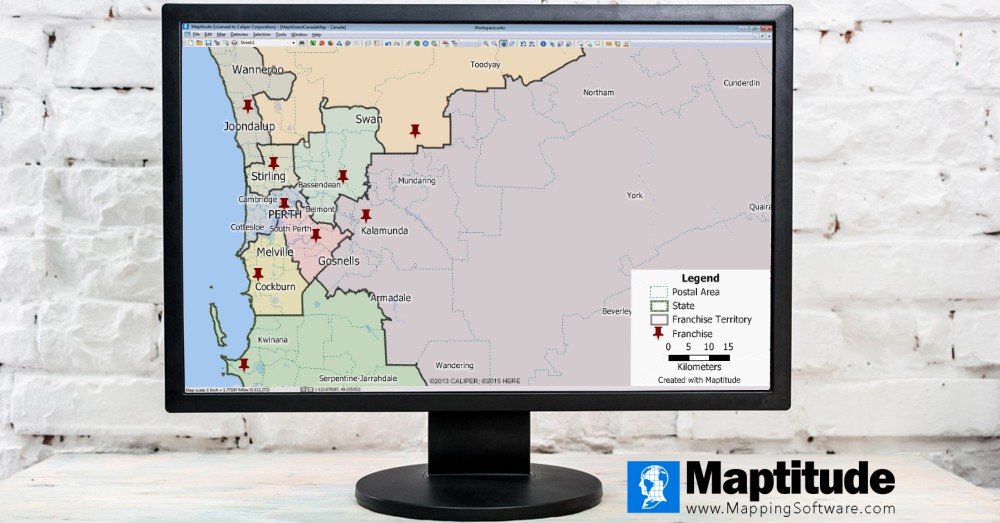
CASE STUDY
 How CKE Grew Their Business with Maptitude
CKE relies on Maptitude to simplify territory identification and allocation. This improves
franchisee satisfaction by providing insightful market intelligence.
Free
Trial
Request Demo
Success Stories: How Organisations Optimise
Sales Territories with Maptitude
Choosing the right sales territory mapping software can be
challenging. Maptitude is the go-to solution for organizations
looking to streamline territory management, boost sales performance,
and make data-driven decisions. Here’s what our satisfied users have
to say:
 |
“Maptitude is a versatile easy to use GIS platform.
It's good value for money and easy to use.
[My favorite aspect of the software is the] incorporation of key census data into the platform, drive time, and districting functionality.”
Robert Buckmaster
Choice Location Strategists
Abbotsford, Victoria |
|
 |
“Maptitude is easy to use yet
powerful. When we have needed to ask questions the support has been fast, polite,
professional and resolved our need to know how to do something. It has enhanced
the service we offer our clients.”
Mark Grahame
Director, Able Medico Advisors
Brisbane, Queensland |
|
 |
“Their customer service is excellent. I had a couple of problems with registering and each time, they were very helpful and easy to deal with, and fixed my problem straight away.”
Bernard Bannon
Managing
Director, Ovenu
Perth, Western Austrlalia |
|

|
“Maptitude is helping our organization
plan our field service territories and control
our travel and response time.”
| |
Jim Berry
Technical Service Engineering Manager, Xerox |
|

|
“Maptitude helped me to quickly locate and exhibit post code hot spots
across the country in an effective and attractive way - it's turned my extensive datasets into compelling stories,
and helped build credibility with my clients and the wider community.”
Martin North
Principal, Digital Finance Analytics
Sydney, New South Wales |
|
 |
“Maptitude's ability to use my data for analysis and
visualisation is phenomenal. Whenever I need to
analyse my data and represent it visually I always go to
Maptitude. The software is a GIS that can import,
covert and export Google Earth, OpenStreetMap, Esri Shape,
MapInfo, GPS, AutoCAD, Excel, Text etc.... There is no other GIS software that
delivers like this!”
Sheldon Cowie
Planning & Scheduling Consultant, PTQ Public Transit Intelligence
Melbourne, Victoria |
|

|
“I've
had the good fortune, or misfortune, to use quite a few GIS
software packages over the past few years and can assure you
that Maptitude is streets ahead when it comes to
ease-of-use. The trick with any GIS is to understand the
terminology, and Maptitude communicates it's functionality
through a common-sense menu structure. The result is that
a
new user is up and running with an extensive range of
capabilities within a very short time."
Nick Nicholas
The Demographers Workshop
Sydney, New South Wales |
|
Free
Trial
Request Demo
How to use Maptitude for sales territory mapping
- Import your sales data: Maptitude is a Wizard driven application
that simplifies even the most complex tasks, and imports data
from a variety of sources that include Excel, CSV, and
shapefile.
- Create a territory map: Once you have chosen your
data, you can use the Maptitude territory design tools to create
custom sales territories.
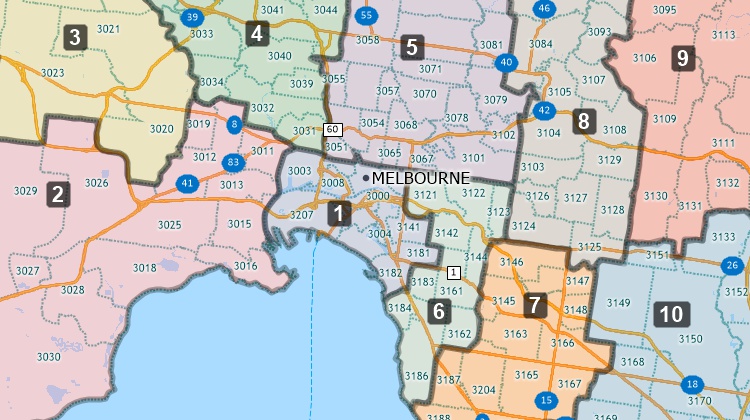
- Create sales territories: You can merge
smaller areas into territories and compute the attributes for
each one. This can be done from an existing table of territory
assignments or interactively, by clicking on the map. For
example, you can group postal codes or suburbs together to create
sales territories. There is also an
automatic territory creation tool that simulates thousands
of plans to find the most compact and well-balanced ones for
you. Your territories can even overlap if you require shared
areas.
- Analyse your sales data: The Maptitude analytics produce
Excel territory assignment reports, demographic reports, map
book territory handouts (layouts), and workload index reports
that compare territories to identify mismatches in salesforce
capacity and customer coverage.
- Share your territory
maps: Maptitude can automatically create professional geographic
reports for your territory assignments. You can share your
territory plans as interactive
Maptitude Online maps, or in
many
formats including those for PDF, Excel, and Google Maps.
Tips for using Maptitude to get the most out of your sales territory mapping experience
Free
Trial
Request Demo
Create custom sales territories based on key business metrics
The Maptitude Territory Wizards make it easy to create sales
territories that are tailored to your specific needs. You can
consider a variety of factors when designing your territories, such
as:
Geography:
You can create territories that are based on
geographic boundaries. Use Maptitude to create sales territories out
of postal codes, suburbs, or states, or any other type
of area, to calculate the demographic characteristics of your custom
territories, and to attach your own data to them.
Demographics:
You can create territories that are based on demographic data, such as population,
households, income levels, or age distribution, or any of the variables
that are included with the sales territory mapping software.
Revenue:
You can create sales territories that are based on your
historical revenue data or any of your own business key performance
indicators. This can help you to ensure that your territories are
equal and that your sales teams are focusing on the most profitable areas.
Customer distribution:
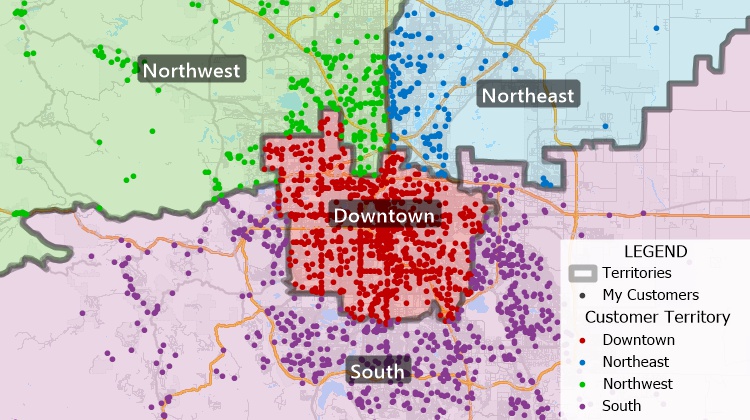
You can create territories that are based on your
customer locations. Maptitude provides unlimited geocoding of
addresses, ensuring that your sales, delivery, and marketing teams
can reach all your customers efficiently.
Free
Trial
Request Demo
Maptitude Sales Territory Management Tools
Maptitude is easy to use and helps you to create
and track optimised sales territories.
Some of the key features of Maptitude include:
- Sales territory balancing: Maptitude helps ensure that your territories are equally
balanced by population characteristics such as income or by business
data such as revenue. The Territory Manager supports auto-balancing
or tracking multiple running totals. You can mix automation with
manual point-and-click territory edits for results tailored to your needs.
- Territory merging and splitting: You can easily merge or split
territories as needed. In addition, you can set rules for which
areas can be chosen and whether they can overlap. Complete undo/redo
support ensures you have the confidence to explore any boundary
configuration.
- Sales territory optimisation: Maptitude can help you to
optimise your territories for efficiency and effectiveness. Whether
you want to simulate creating equal and compact territories for
what-if scenarios, or for comparison with your existing boundaries,
Maptitude can help. Use demographics, drive-time, or other factors
to define your areas.
- Sales territory hierarchies: Build any
number of levels in one map, such as rep, district, region, and
division. Each level is a true parent-child relationship in the
map, so a four or five level structure needs no spreadsheet
workaround. Child territories nest inside their parent, and
Maptitude keeps the levels geographically consistent as you edit
with
Active Topology™. You set the assignment rules,
including whether territories may overlap, and you can balance
and report at every level.
Whatever your needs, from basic to complex, the Maptitude toolkit
will help you to achieve your territory planning sales goals.
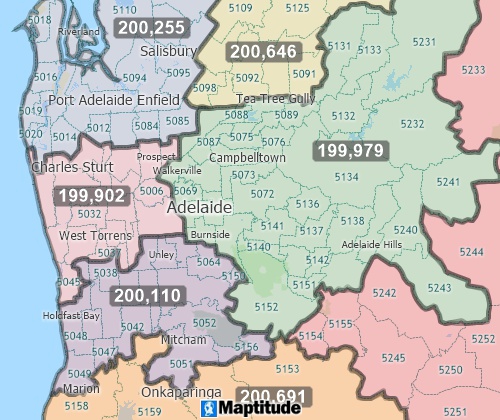
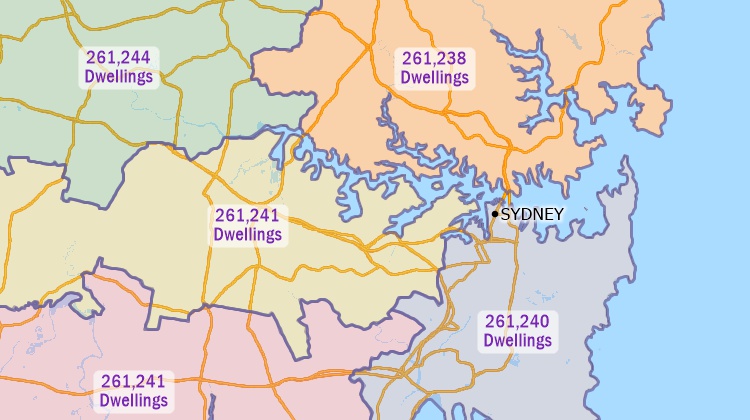
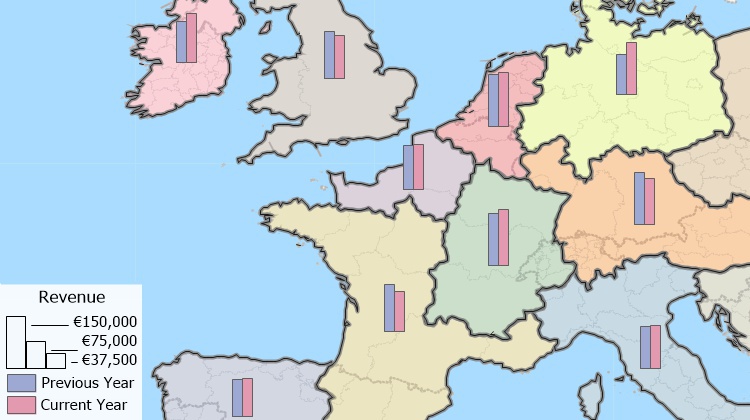
Use Maptitude sales territory management software to automatically create balanced territories
from groups of features
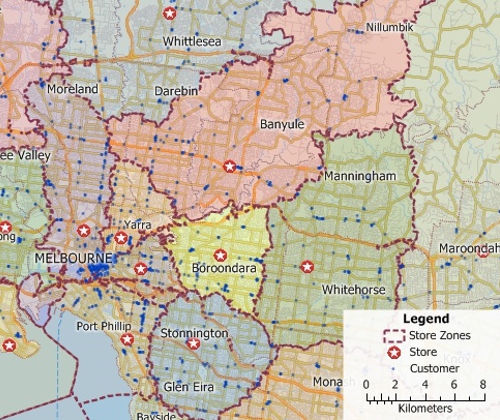
Maptitude includes a territory mapping tool
for creating street-based territories. This map shows the
shortest travel time zones to various stores
Maptitude is the best sales territory mapping software
Maptitude is a powerful sales territory mapping software that can
help businesses to improve their sales efficiency, optimise their
resource allocation, and enhance their customer targeting. If you
are looking for a sales territory mapping solution that can help you
to achieve your sales goals, then Maptitude is the right choice for
you.
Frequently asked questions
Does Maptitude support multi-level territory hierarchies?
Yes. You can build any number of levels in a single map. A structure like
Rep → District Manager → Regional Director → VP is four levels,
and Maptitude handles that and deeper. Each level is a parent-child
relationship in the map, so no manual data workaround is needed.
Read
more about hierarchical territories
Do child territories have to fit inside their parent?
Yes, child territories nest inside the parent territory. Levels stay geographically consistent as you edit, because Maptitude maintains the topology between them with Active Topology™. You set the assignment rules yourself, including whether territories at a level may overlap or must be non-overlapping.
Is there a limit on the number of territories per level?
Can I roll up sales, population, or headcount by level?
Yes. The Territory Manager supports auto-balancing and tracking multiple running totals, such as population, households, or revenue, and reports how far each territory is from its target as you build.
Can I see which parent a territory belongs to while editing?
Yes. The full hierarchy path appears in a tooltip while you edit.

 Check out our G2 Reviews

 Call Us

