
Last Updated: April 1, 2026
If you recently purchased a new Maptitude license and attempted to activate, you may have gotten the message: “Your license is not active.
The license has expired for serial number MAP-123-XXX-456-YYY. Please contact Caliper support for assistance.”
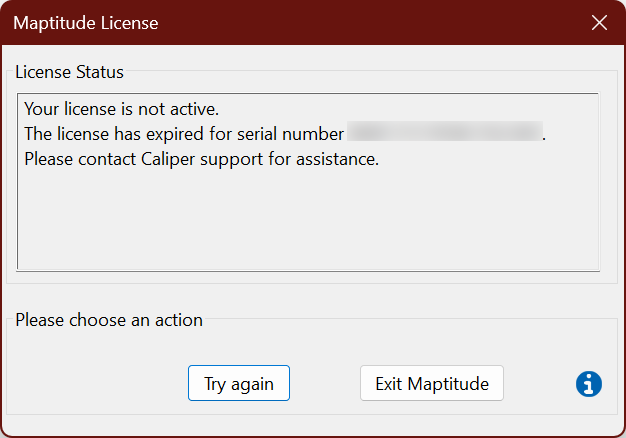
This indicates that your license may be stuck on the trial version. Re-running the Maptitude installer program and inputting your new serial number, xxx-xxx-xxx…, should fix the problem. The serial number is 15 characters, begins with MAP or MTS, and has the format MAP-123-ABC-456-DEF or MTS-123-ABC-456-DEF.
Note that you should not have to download anything new, you should be able to re-install Maptitude from the already downloaded installer files. For details, please see: https://www.caliper.com/learning/articles/installing-from-the-data-files/
For more on common activation issues and solutions, see: https://www.caliper.com/learning/articles/common-activation-issues-and-solutions/