
Last Updated: December 12, 2025
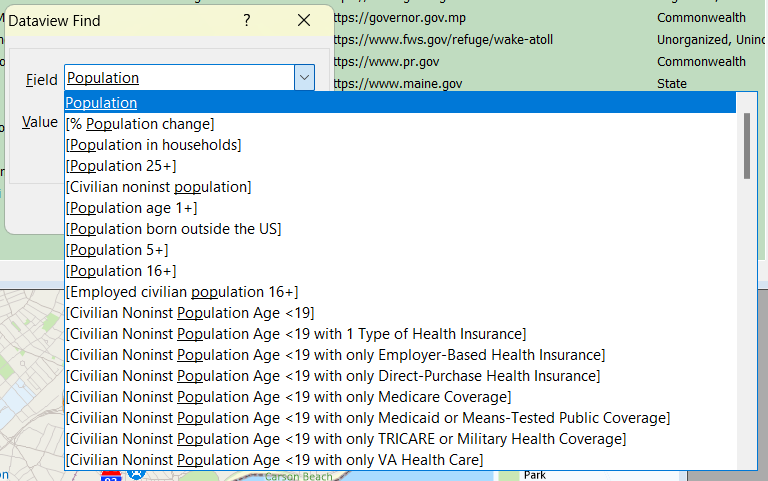
The characters are underlined as you type them.
For example, to filter out a field in a dataview you can follow these steps:
- Right click on your layer of choice in the Display Manager
and choose New Dataview. - Choose Edit>Find. Click
 to expand the Field list.
 - Type “Population”. The field list is filtered.
- Choose one of the population fields and Click OK.
Maptitude highlights the field chosen.
For more information, see Maptitude Basics.