
Last Updated: October 10, 2025
Maptitude Online is a web-based mapping platform that extends the powerful capabilities of desktop Maptitude to teams, organizations, and individuals—all through a browser. Whether you’re sharing results from desktop Maptitude or creating maps entirely online, Maptitude Online offers flexible, secure, and intuitive tools for geographic analysis and data visualization.
Table of Contents
1. Overview
2. Key Features
3. Map Sharing Add-in
4. Stand-alone Mapping Application
5. Requirements
1. Overview
Maptitude Online brings intuitive, powerful analytics from the desktop to the whole organization. It supports team and administrator permissions, secure logins, and flexible map access options. Share maps with private users or publicly via a URL, with no need for recipients to install software.
Maptitude Online is available for $695 annually and functions in two ways:
- As a map sharing add-in for desktop Maptitude
- As a stand-alone online mapping application
2. Key Features
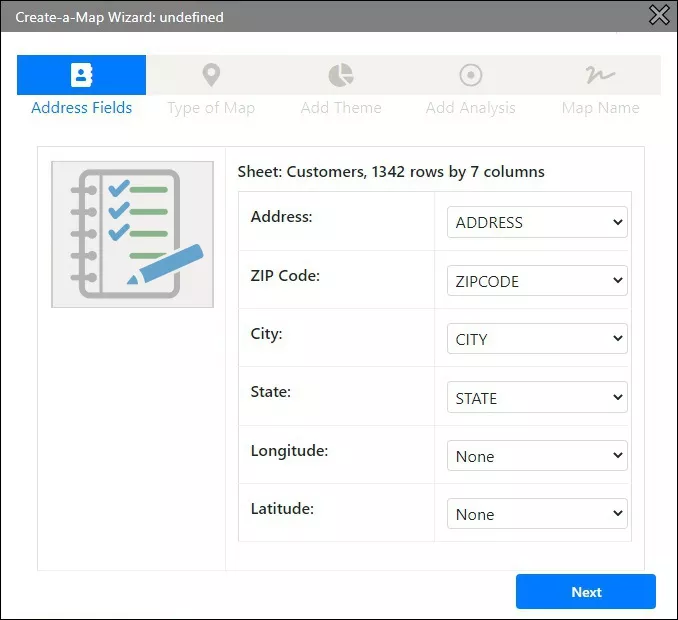
- Upload Excel or CSV data—or paste/type addresses directly
- Batch geocode address, ZIP Code, or city locations
- Create sales territory maps by table or interactively
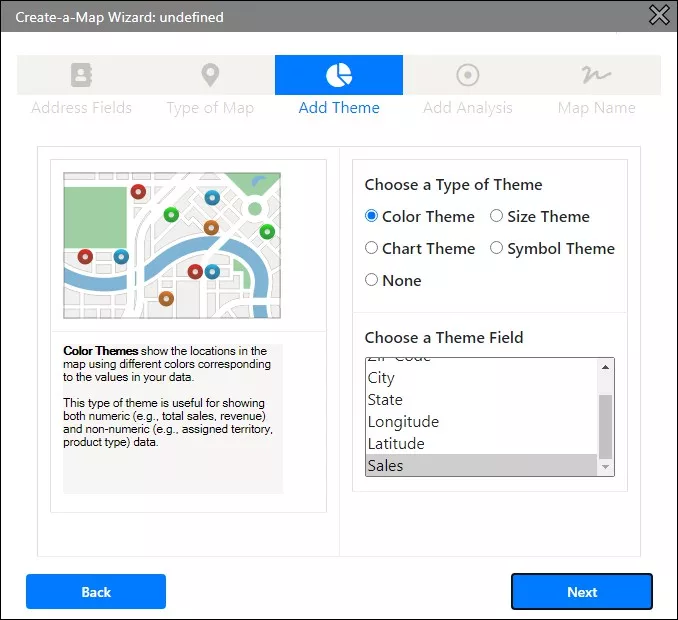
- Visualize with themes: heat maps, pie charts, clusters, symbols, density, and more
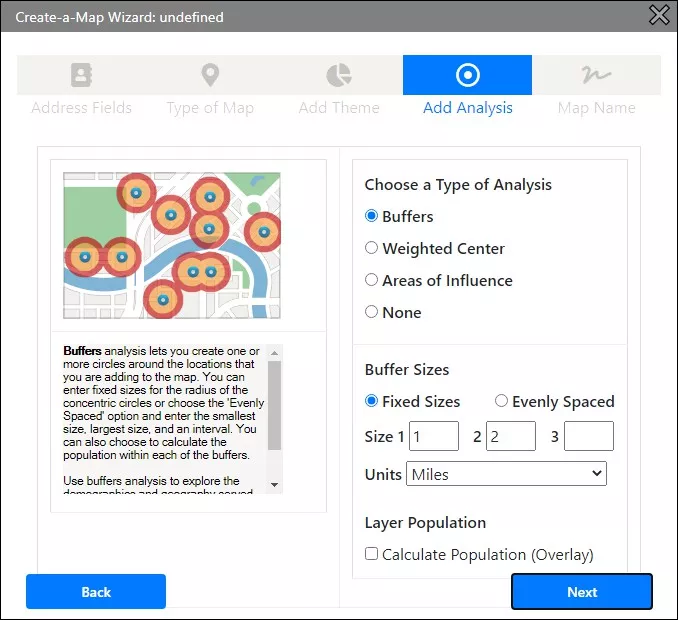
- Perform analysis: buffers, influence areas, weighted centers
- Generate PDF demographic reports and overlays
- Draw, measure, and export custom shapes and demographic reports
- Filter, query, and select map and table data
- Modify maps with layers, styles, themes, selections, and labels
- Export static map images
3. Map Sharing Add-in for Desktop Maptitude
Using Maptitude Online as a desktop add-in allows you to upload maps and reports created in desktop Maptitude (or through a remote desktop license). These maps are then made available in your secure online portal for interactive viewing and sharing via a browser.
This is ideal for organizations that already use desktop Maptitude and need to distribute results to a wider audience. Upload tools in desktop Maptitude make transferring data seamless and secure. For more information, please refer to this learning portal article on how to upload your map from the desktop program to Maptitude Online.
4. Stand-alone Mapping Application
You can use Maptitude Online without owning desktop Maptitude. Simply upload your Excel or CSV data, and follow the Create-a-Map Wizard to map your data directly online. This is a great option for non-Windows users or anyone who wants powerful GIS capabilities in a web app. For more information, please refer to this video on how to map your data with Maptitude Online.
5. Requirements
Maptitude Online works on any modern web browser and any device. No installation is needed.
Whether you’re sharing Maptitude desktop maps or building maps entirely online, Maptitude Online offers a flexible, secure, and cost-effective solution—supported by robust help documentation, tutorials, and competitive pricing.
Subscribe today to start sharing and mapping your data online.
For more information on leveraging Maptitude Online to solve your mapping needs, please refer to our full Maptitude Online Help.