
How can I find the ZIP Codes in my areas?
How to include the list of ZIP Codes in your Export to Excel Reports
Maptitude Learning Portal articles tagged with Excel
How to include the list of ZIP Codes in your Export to Excel Reports
Using the Text to Columns feature in Microsoft Excel to format addresses for use in Maptitude
How to use the Export to Excel function to generate a report of the Healthcare locations nearby a given location
How to increase the information included in the Routing Directions Report
You can export demographic overlay data and other information to Excel by choosing the layer to export, making it the working layer, and clicking the Export to Excel button on the Standard toolbar.
You can use the copy shortcut (Ctrl+C) to copy cell values and the paste shortcut (Ctrl-V) to edit cell values with data that has been copied. You can paste these cell values into another dataview or into Microsoft Excel.
You can export demographic overlay data and other information to Excel by choosing the layer to export, making it the working layer, and clicking the Export to Excel button on the Standard toolbar.
You can create Distance and Travel-Time tables that include all your data fields by using mapping software. Maptitude creates Distance and Travel-Time tables that include your own data fields.
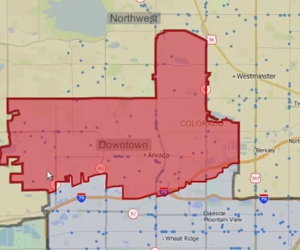
Using the Maptitude Territory Manager to create and modify territories in a territory layer
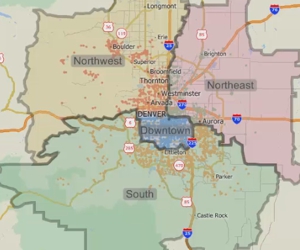
Using the Maptitude Territory Wizard to create and modify a territory layer